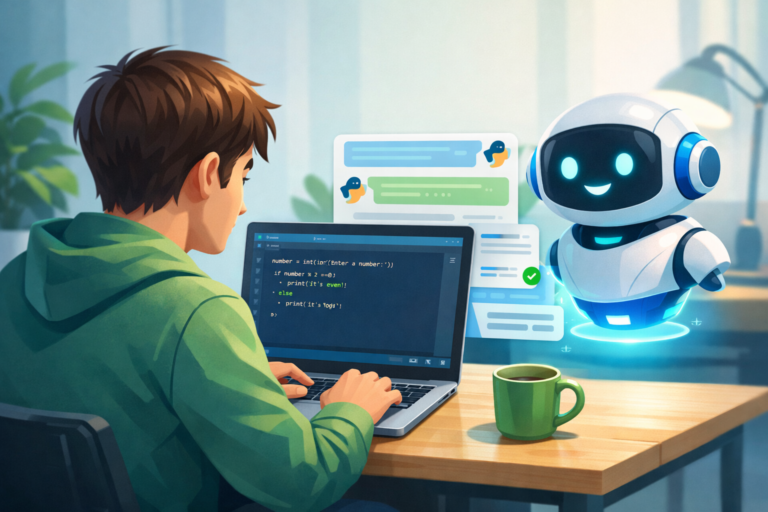
How to Use ChatGPT to Generate Powerful MidJourney Prompts
Learn how to generate powerful MidJourney prompts using ChatGPT. Brand Style AI Prompts Explore detailed examples and tips for crafting the perfect prompts to create stunning AI-generated artwork.
How to Use Brand Style AI Prompts to Generate Powerful MidJourney Prompts
MidJourney has become one of the most popular AI tools for generating stunning artwork. However, to unlock its full potential, the quality of your prompts matters a lot. Crafting effective prompts can be tricky, but with the help of ChatGPT, you can create specific, clear, and inspiring prompts for MidJourney. In this article, we will guide you on how to use ChatGPT to generate powerful MidJourney prompts, share examples, and even show you the kind of images you can generate.
1. Understanding the Basics of MidJourney Prompts
Before diving into examples, it’s essential to understand the structure of a typical MidJourney prompt. A good MidJourney prompt should provide a detailed description of the visual you’re aiming for, including:
Subject: What is the main focus of the image? (e.g., a landscape, a futuristic city, a character, etc.)
Style: Do you want a specific artistic style, like cyberpunk, realism, or abstract?
Mood: What kind of atmosphere do you want? Is it dark, light, dramatic, or tranquil?
Additional Details: Colors, lighting, composition, and other elements can drastically affect the final result.
2. How to Use ChatGPT for MidJourney Prompts
ChatGPT can help you formulate these elements into coherent and effective prompts. The key to generating powerful prompts lies in the way you describe what you want. ChatGPT can assist by helping you:
Refine Your Vision: You might start with an idea, but ChatGPT can help you add more specifics to the prompt.
Combine Concepts: If you want to blend different ideas, ChatGPT can suggest ways to merge them creatively.
Make It Detailed: ChatGPT will help you expand on vague ideas, turning them into actionable prompts with precise details.
3. ChatGPT Prompt Generation Process
To begin, simply provide ChatGPT with a brief description of what you want to see. Then, use the AI’s capabilities to improve it and make it more detailed.
Example 1: Fantasy Forest Scene
Input to ChatGPT: “Generate a MidJourney prompt for a magical forest scene.”
ChatGPT Output: “A mystical forest at twilight with glowing bioluminescent plants, tall ancient trees with twisted roots, and a hidden waterfall in the background. Soft mist rises from the ground, creating an ethereal atmosphere. The forest is illuminated by the soft light of fireflies, and the sky above is filled with stars. The scene is bathed in cool blue and green hues, creating a calm yet mysterious mood.”
This will give MidJourney a clear vision of what you want.
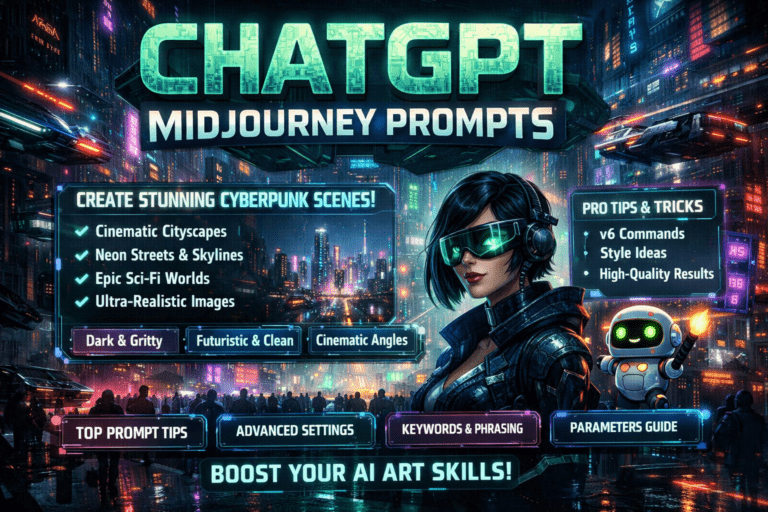
Example 2: Cyberpunk Cityscape
Input to ChatGPT: “Generate a MidJourney prompt for a cyberpunk cityscape.”
ChatGPT Output: “A sprawling cyberpunk city at night, with towering neon-lit skyscrapers, flying cars zipping through the sky, and busy streets filled with futuristic pedestrians wearing holographic clothing. The scene is bathed in shades of purple, pink, and blue, with reflections on the wet pavement from the neon signs. The atmosphere is bustling and high-tech, yet there’s an underlying sense of mystery.”
This prompt focuses on the setting, style, and mood, ensuring MidJourney produces an accurate and compelling image.
Example 3: Retro Sci-Fi Portrait
Input to ChatGPT: “Generate a MidJourney prompt for a retro sci-fi portrait.”
ChatGPT Output: “A retro sci-fi portrait of a female astronaut with a chrome helmet, set against a starry background. The astronaut’s suit is sleek, silver with geometric designs, and there is a faint glow from the helmet visor. The lighting is soft but dramatic, casting long shadows. The overall feel is nostalgic, capturing the golden age of science fiction.”
This type of prompt is ideal for achieving a specific style (retro sci-fi) and focus (portrait).
4. Tips for Enhancing Your Prompts with ChatGPT
Be Clear and Specific: The more specific you are with your descriptions, the more likely MidJourney will generate exactly what you’re looking for.
Use Adjectives: Describing the mood, lighting, and colors helps set the tone.
Experiment with Different Themes: Don’t be afraid to ask for unconventional combinations, like “a dragon in a futuristic city” or “a neon-lit underwater castle.”
5. Example Prompts with Picture Suggestions
Let’s take a few of the prompts generated and explore what images might look like based on these.
Fantasy Forest Scene
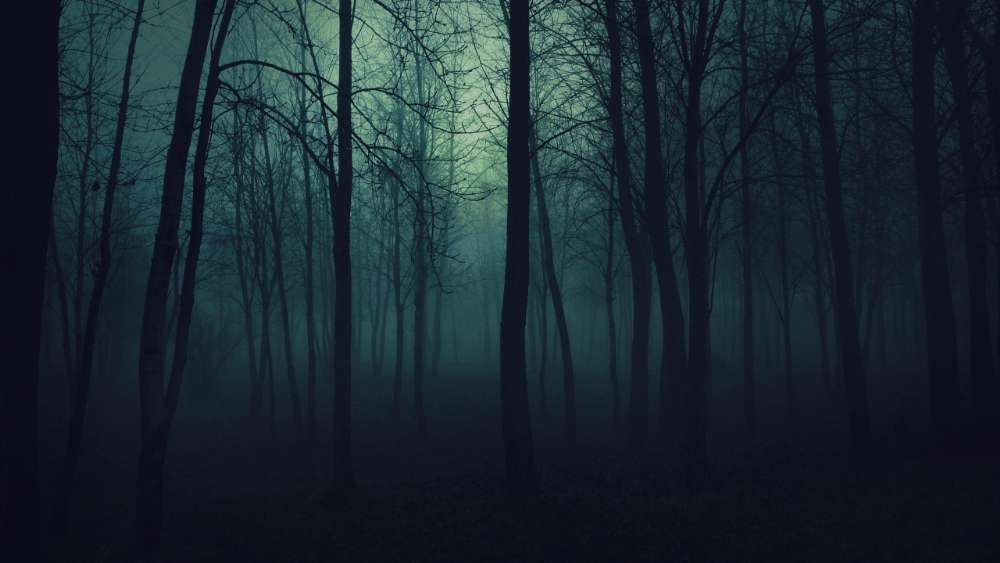
Prompt: “A mystical forest at twilight with glowing bioluminescent plants, tall ancient trees with twisted roots, and a hidden waterfall in the background. Soft mist rises from the ground, creating an ethereal atmosphere. The forest is illuminated by the soft light of fireflies, and the sky above is filled with stars. The scene is bathed in cool blue and green hues, creating a calm yet mysterious mood.”

Image Suggestion:

Cyberpunk Cityscape

Prompt: “A sprawling cyberpunk city at night, with towering neon-lit skyscrapers, flying cars zipping through the sky, and busy streets filled with futuristic pedestrians wearing holographic clothing. The scene is bathed in shades of purple, pink, and blue, with reflections on the wet pavement from the neon signs. The atmosphere is bustling and high-tech, yet there’s an underlying sense of mystery.”

Retro Sci-Fi Portrait
Prompt: “A retro sci-fi portrait of a female astronaut with a chrome helmet, set against a starry background. The astronaut’s suit is sleek, silver with geometric designs, and there is a faint glow from the helmet visor. The lighting is soft but dramatic, casting long shadows. The overall feel is nostalgic, capturing the golden age of science fiction.”
Image Suggestion:

6. Conclusion
Using ChatGPT to generate MidJourney prompts allows you to create more specific, detailed, and visually compelling artwork. By combining the right words and descriptions, you can create prompts that will help you visualize any scene, character, or object. Remember, creativity is key, and with the help of ChatGPT, you can push the boundaries of your imagination and create stunning artwork with MidJourney.
FAQ: Generating Powerful MidJourney Prompts with ChatGPT
1. What are MidJourney prompts?
MidJourney prompts are text-based descriptions that guide the AI in creating artwork. The prompt specifies the subject, style, mood, and other details to help the AI generate visuals that match your vision.
2. How can ChatGPT help in generating MidJourney prompts?
ChatGPT can assist by refining vague ideas, combining different concepts, and making your prompts more detailed. Simply provide ChatGPT with an idea, and it will turn it into a clear and specific prompt for MidJourney.
3. What should be included in a MidJourney prompt?
A strong MidJourney prompt includes:
Subject: The main focus of the image (e.g., a futuristic city, a magical forest).
Style: The artistic style you want, such as cyberpunk, realism, or abstract.
Mood: The tone or atmosphere, like mysterious, tranquil, or dramatic.
Additional Details: Things like lighting, colors, and composition to guide the AI’s creativity.
4. Can I combine multiple ideas in a single MidJourney prompt?
Yes! ChatGPT is great for combining different ideas. For example, you can create a prompt that combines a cyberpunk city with mythical creatures. ChatGPT will help you structure the prompt for MidJourney to handle both elements effectively.
5. How do I improve my MidJourney prompts using ChatGPT?
ChatGPT can enhance your prompts by:
Making them more specific and detailed.
Suggesting additional visual elements (e.g., lighting, colors, textures).
Ensuring clarity, so the AI understands the nuances of your vision.
6. How detailed should my prompt be for MidJourney?
The more detailed your prompt, the better MidJourney will be at generating the image you envision. Describing not just the subject but the mood, lighting, and style helps the AI create visuals that align with your expectations.
7. Can ChatGPT help me create prompts in different artistic styles?
Absolutely! ChatGPT can generate prompts in various artistic styles, from hyper-realistic to abstract, or even specific styles like impressionism or cyberpunk.
8. Are there any tips for writing better MidJourney prompts?
Be clear and specific: The more information you provide, the better.
Use descriptive language: Adjectives like “glistening,” “ethereal,” or “futuristic” help set the tone.
Experiment: Don’t be afraid to ask for unique combinations or unconventional scenes.
9. What kind of images can I generate with MidJourney using these prompts?
With well-crafted prompts, you can generate a wide variety of images, including landscapes, portraits, cityscapes, futuristic scenes, and even abstract art, all based on your detailed descriptions.
10. Can I adjust my prompt if I don’t like the first result?
Yes, you can always tweak the prompt by adding more details or changing certain aspects to get a better result. ChatGPT can help you refine your prompt for better outcomes.