How to Create Hyper-Realistic Underwater Portraits Using a Single Advanced AI Prompt
How to Create Hyper-Realistic Underwater Portraits Using a Single Advanced AI Prompt Creating hyper-realistic underwater portraits has long been the domain of skilled photographers and digital artists. However, with the rapid advancements in artificial intelligence, you now have the ability to create such stunning portraits using nothing more than a well-crafted AI prompt. Whether you are a seasoned artist or a beginner, this guide will walk you through the steps to create these mesmerizing images with a single advanced AI prompt.
Understanding Hyper-Realistic Underwater Portraits
Before we dive into the process of creating these portraits, it’s essential to understand what makes a portrait “hyper-realistic” and why underwater portraits have such a unique appeal.
Hyper-realistic art takes realism to the next level. It’s not just about replicating an image; it’s about capturing every minute detail, texture, and lighting effect to create something that appears as if it could be a real photograph. When applied to underwater portraits, this becomes even more challenging—and exciting. The interplay of light through water, the textures of hair and skin, and the motion of water create an ethereal and captivating atmosphere that can transport the viewer to another world.
Soft and Dreamy Underwater Portrait
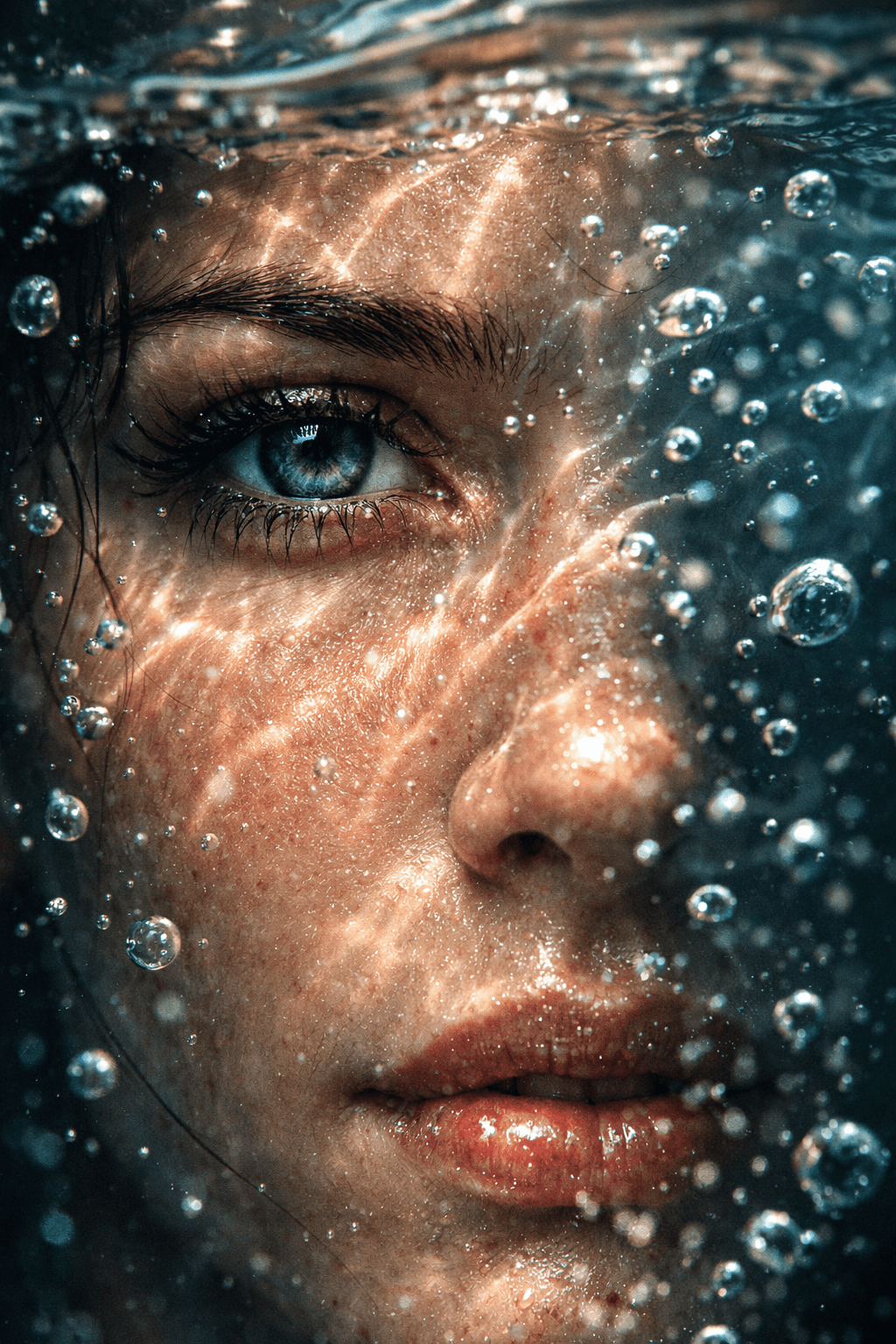
"Create a hyper-realistic underwater portrait of a young woman with long, flowing hair, gently floating in the water. Soft sunlight filters through the surface of the water, creating dappled patterns on her face. Her skin is smooth and glistening with droplets, and her hair flows in the current. The background should be a soft, blurred ocean with gentle ripples. Add delicate bubbles rising around her and a peaceful, serene expression on her face."
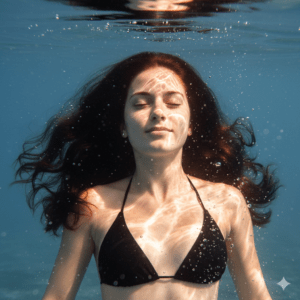
Use this prompt if you want to create a calm and dreamy underwater scene with gentle lighting and subtle textures.
The Role of AI in Art Creation
Artificial intelligence is revolutionizing the art world, offering tools that can replicate reality with stunning accuracy. AI art generators, such as DALL-E, MidJourney, and others, allow you to input specific prompts that guide the AI to create images that match your vision. These tools use machine learning to understand and interpret your instructions, turning words into visually engaging art.
In the case of creating hyper-realistic underwater portraits, AI becomes an invaluable tool. It can generate complex underwater lighting, textures, and effects, all while maintaining the photorealistic quality that defines hyper-realism. The key to achieving this is knowing how to craft an advanced AI prompt that guides the software in a way that achieves your desired outcome.
Soft and Dreamy Underwater Portrait
"Create a hyper-realistic underwater portrait of a young woman with long, flowing hair, gently floating in the water. Soft sunlight filters through the surface of the water, creating dappled patterns on her face. Her skin is smooth and glistening with droplets, and her hair flows in the current. The background should be a soft, blurred ocean with gentle ripples. Add delicate bubbles rising around her and a peaceful, serene expression on her face."
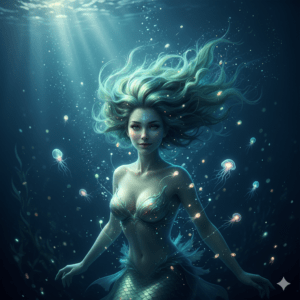
Use this prompt if you want to create a calm and dreamy underwater scene with gentle lighting and subtle textures.
Crafting the Perfect Advanced AI Prompt
Now that you understand the importance of hyper-realism and the role of AI in creating these images, let’s dive into the heart of the process: crafting the perfect AI prompt. This is where you can unlock the full potential of AI to generate stunning underwater portraits.
Mystical Underwater Creature Portrait
"Create a hyper-realistic underwater portrait of a mystical mermaid with glowing, translucent skin. Her hair is ethereal and floats around her like seaweed. Bioluminescent creatures swim near her, casting a soft glow on her face. The water is dark and deep, with beams of light illuminating the scene. Her expression is mysterious and captivating, and gentle bubbles rise from her body."
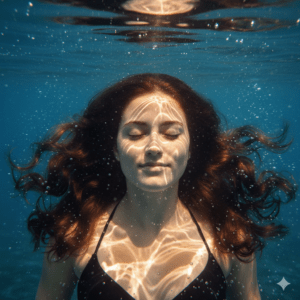
Use this prompt for a more fantasy-inspired, glowing underwater portrait that combines otherworldly beauty with realistic water effects.
Key Elements of a Hyper-Realistic Underwater Portrait Prompt
- Lighting: Lighting plays a pivotal role in creating realistic underwater portraits. Light behaves differently underwater, scattering and refracting in unique ways. Be specific in your prompt about the lighting you want to achieve. For example, you can request “soft, dappled light filtering through the water’s surface” or “dramatic light beams piercing through a deep ocean.”
- Textures: The textures in a hyper-realistic underwater portrait are what bring the image to life. The texture of the skin, the ripples in the water, and the movement of hair can be the difference between a flat image and a captivating one. Ask the AI to capture “smooth, wet skin” or “flowing hair suspended in the water.”
- Water Effects: Water is dynamic, and the motion within it is a key part of its realism. Describe the water’s behavior in your prompt, such as “gentle ripples surrounding the subject” or “bubbles rising from the subject’s face.”
- Subject Details: The subject is, of course, the focal point of the portrait. Be specific about the person or character you want to depict. Is it a woman, a man, or perhaps a mythical creature? Describe the subject’s expression, hair color, and clothing if applicable. For instance, you might say, “A woman with long, flowing hair, looking serene, underwater.”
Example of an Advanced AI Prompt
To help guide you, here’s an example of a well-crafted AI prompt for generating a hyper-realistic underwater portrait:
“Create a hyper-realistic underwater portrait of a woman with long, flowing hair. She is gazing serenely into the distance, with soft light filtering through the water’s surface, casting gentle reflections across her face. The water around her is calm, with small ripples and bubbles rising from her body. Her skin should appear smooth and glistening, with light reflecting off the water, creating a soft glow around her. The background should feature deep blue ocean water with faint outlines of distant underwater plants.”
Action-Packed Underwater Portrait
"Generate a hyper-realistic underwater portrait of a scuba diver swimming through the water. Sunlight breaks through the water’s surface, creating sparkling reflections on the diver's suit. The diver’s movements create dynamic ripples and bubbles that swirl around them. The background shows a vibrant coral reef, and the diver’s expression is focused and determined."
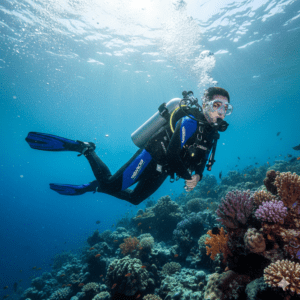
This prompt is perfect for an action-packed scene with movement and interaction between the subject and the water.
How to Use These Prompts
Once you’ve selected the AI platform (DALL-E, MidJourney, etc.), simply enter your prompt into the tool and let the AI generate your artwork. Depending on the platform, you may be able to adjust certain settings to refine the final result, such as style, resolution, or level of detail.
Tips for Refining Your AI Prompt
While the example above provides a solid foundation, crafting a perfect AI prompt is an iterative process. Here are some additional tips to refine your prompt for even better results:
- Be Clear and Specific: The more detailed your description, the better the AI can understand your vision. Instead of using vague terms like “beautiful,” use specific adjectives like “serene” or “ethereal.”
- Incorporate Layers: Instead of simply describing the subject, layer your prompt with details about the environment, lighting, and texture to create a more immersive scene.
- Experiment: AI art generation is still a learning process, so don’t hesitate to adjust your prompt based on the results you get. Small tweaks, like changing the lighting or adding new water effects, can make a big difference.
- Use a Creative Lens: Feel free to experiment with unique and artistic elements. Try adding things like glowing underwater flora, underwater creatures, or even surreal visual effects that enhance the portrait’s otherworldly feel.
Advanced AI Techniques for Enhancing the Underwater Effect
While your AI prompt will set the foundation for your underwater portrait, there are additional techniques you can use to enhance the overall effect.
Enhancing Lighting and Depth
Underwater lighting can be tricky to master, but with AI, you can simulate the way light behaves beneath the water’s surface. Try specifying “light rays piercing through the water’s surface” or “soft, diffused light coming from above.” AI can then replicate the natural scattering of light underwater, creating a more realistic portrayal.
Textures and Skin Effects
Hyper-realistic textures are essential for bringing an underwater portrait to life. Describe how you want the AI to handle skin, hair, and water textures. Use terms like “wet skin with subtle reflections” or “hair flowing gently in the current.” These small details help create the photorealistic appearance you’re after.
Capturing Water Movement
AI can also simulate the movement of water, from gentle ripples to dramatic currents. You can specify how the water should behave in the portrait, such as “subtle waves gently surrounding the subject” or “bubbles rising from the subject’s body as they float.”
Common Mistakes to Avoid
While AI is a powerful tool, it’s essential to avoid certain pitfalls in the prompt crafting process:
- Overloading the Prompt: Too many details can confuse the AI, making it harder to create a cohesive image. Stick to the most important aspects and focus on what’s essential for the portrait.
- Underestimating the Power of Lighting: Lighting is often the most challenging aspect of underwater photography. Don’t forget to specify lighting in your prompt to ensure a realistic look.
- Forgetting to Fine-Tune the Prompt: AI-generated images often need slight adjustments to get the best result. Don’t be afraid to experiment with variations of your prompt.
Conclusion
Creating hyper-realistic underwater portraits using a single AI prompt is an exciting way to blend technology with art. By mastering the art of prompt crafting, you can unlock endless creative possibilities that were once confined to professional photographers and digital artists. Don’t be afraid to experiment, and always remember that practice makes perfect.
Start experimenting with your own prompts and watch as AI brings your underwater portrait vision to life, with all the stunning detail and beauty of a real-world underwater scene.
Frequently Asked Questions (FAQ)
1. What makes a hyper-realistic underwater portrait?
A hyper-realistic underwater portrait is characterized by extreme attention to detail, such as realistic lighting, textures, and water effects that mimic the behavior of water, light, and motion. The aim is to make the image appear as though it were a real photograph taken underwater.
2. How do I craft an AI prompt for underwater portraits?
To craft an AI prompt for underwater portraits, you should include specific details about the subject (e.g., “a woman with flowing hair”), lighting (e.g., “soft light filtering through the water’s surface”), textures (e.g., “wet, glistening skin”), and water effects (e.g., “gentle ripples around the subject”).
3. Can I use AI-generated underwater portraits commercially?
This depends on the platform you use for generating the art. Some AI tools offer commercial rights to the images you create, while others may have restrictions. Always check the usage rights of the specific AI tool you are using.
4. Which AI tools are best for creating underwater portraits?
Popular AI art generators such as DALL-E, MidJourney, and Stable Diffusion are well-suited for creating hyper-realistic underwater portraits. Each platform allows you to refine your prompt to achieve the desired visual effects.