How to Create a High-Fashion Portrait Using a Single Advanced AI Prompt
How to Create a High-Fashion Portrait Using a Single Advanced AI Prompt If you want to generate high-end, magazine-style portraits with AI, the difference between an average image and a striking one often comes down to the prompt. Using a well-structured, descriptive prompt like the one you provided allows you to guide the model toward cinematic lighting, emotional depth, and visual consistency that feels professionally produced.
In this guide, you’ll learn how to use a detailed portrait prompt to create a refined, high-fashion AI image, why each element matters, and how you can adapt the structure for your own projects. By the end, you’ll understand how to turn a single prompt into a repeatable system for premium results.

Why This Prompt Works So Well
This prompt succeeds because it combines aesthetic direction, technical camera language, and identity fidelity in one cohesive instruction set. Instead of vaguely asking for a portrait, you are telling the AI exactly what kind of image you want and why it should look that way.
Here’s what makes it powerful:
- It defines mood and emotion
- It controls wardrobe and styling
- It specifies lighting behavior
- It uses photography terminology
- It preserves facial identity with precision
When all these elements work together, the output feels intentional rather than random.

Understanding the High-Fashion Aesthetic
High-fashion portraiture is not about smiling at the camera. It’s about attitude, structure, and restraint.
In this prompt, you guide the AI toward that look by emphasizing:
- A contemplative, upward gaze
- Slight head rotation instead of a straight-on pose
- Neutral lips rather than an exaggerated expression
This tells the model to produce a thoughtful, editorial-style portrait, similar to what you would see in a fashion magazine or luxury brand campaign.
💡 Tip: When you want sophistication, reduce emotional extremes. Calm expressions read as confident and premium.
Clothing Choices That Signal Luxury

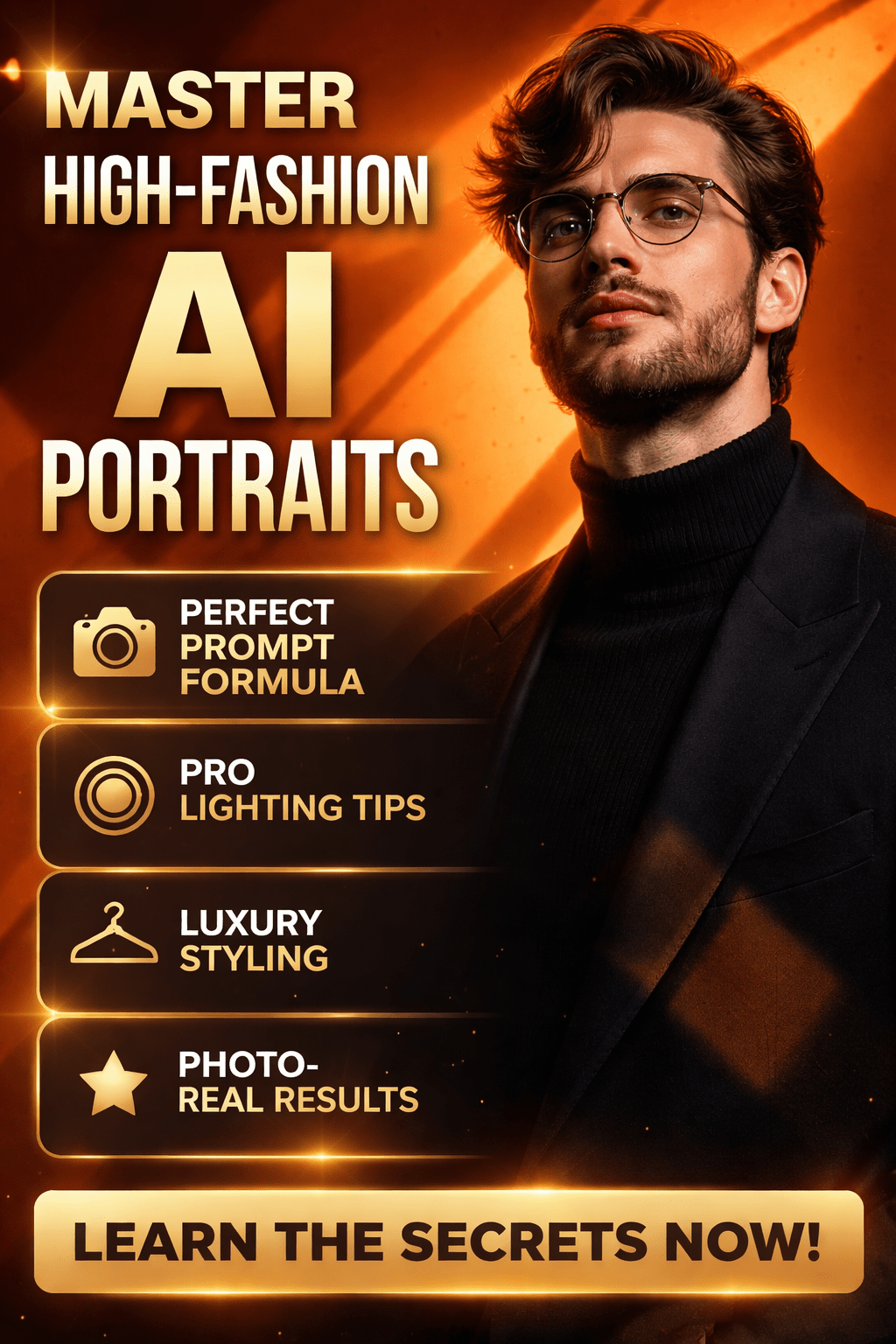
You specify a ribbed black turtleneck under a dark blazer, which is a classic high-fashion combination. This choice does several things at once:
- It frames the face cleanly
- It avoids distracting patterns
- It reinforces a minimalist, editorial tone
Adding thin, round prescription glasses introduces an intellectual layer without overpowering the look. Glasses also interact beautifully with strong lighting, creating subtle reflections that enhance realism.
If you want consistent luxury results, stick to:
- Solid colors (black, navy, charcoal)
- Structured garments
- Minimal accessories
Hair, Beard, and Facial Detail: Why Specificity Matters

You don’t just say “dark hair” or “beard.” You describe:
- Medium-length, wavy hair
- Casual, slightly tousled styling
- A full but well-trimmed beard
This level of detail prevents generic outputs. It also helps the AI maintain facial coherence, especially when generating multiple variations of the same person.
When identity matters, always describe:
- Hair texture, not just length
- Beard shape and grooming level
- Whether features are sharp or soft
These cues help preserve realism across generations.
The Power of Background and Color Psychology
The deep orange background is not a random choice. Orange communicates:
- Energy
- Creativity
- Warmth
Against black clothing, it creates strong visual contrast, instantly drawing attention to the subject. The smooth background also keeps the focus where it belongs—on the face.
More importantly, the geometric shadows add narrative and depth. Diagonal lines imply motion and tension, which elevates the image from a simple portrait to an artistic composition.
Lighting: The Secret Ingredient
Lighting is where this prompt truly shines.
You specify:
- Direct sunlight
- Side-angle illumination
- Hard, structured shadows
- Visible skin texture and pores
This tells the AI to avoid flat lighting and instead create realistic contrast, similar to light passing through a window or architectural structure.
Strong lighting does three critical things for your image:
- Enhances facial structure
- Adds realism through imperfections
- Creates a cinematic, editorial feel
If you want portraits that look expensive, lighting should always be intentional.
Camera Settings That Guide the AI
Including camera settings may seem unnecessary, but it’s one of the most effective techniques for controlling image style.
By referencing:
- Full-frame camera
- 85mm or 100mm portrait lens
- Aperture between f/2.8 and f/4
- ISO 100
- Fast shutter speed
You’re guiding the AI toward natural depth, compression, and sharpness that mimic professional photography.
Even though the AI isn’t literally using a camera, these cues strongly influence how the image is rendered.
Identity Fidelity with “Nano Banana” Instructions
The final section of the prompt is crucial if you’re generating a portrait based on a real person.
By instructing the model to:
- Use the reference image
- Preserve facial structure
- Match skin tone and eye color
- Maintain hair and beard style
You ensure the result feels like you, not a look-alike. This is especially important for:
- Personal branding
- Profile images
- Portfolio visuals
- Social media presence
The phrase “maximum fidelity” signals that accuracy matters more than artistic deviation.
How You Can Reuse This Prompt Structure
You don’t need to rewrite everything from scratch for each image. Instead, reuse the framework and swap key elements:
- Change background color
- Adjust clothing style
- Modify lighting direction
- Update expression or pose
This approach saves time while keeping results consistent and professional.
Common Mistakes to Avoid
When working with advanced portrait prompts, avoid these pitfalls:
- Being vague about lighting
- Mixing too many styles at once
- Overloading with unnecessary accessories
- Forgetting to describe mood
Clarity always beats complexity.
Final Thoughts: Turn One Prompt into a Signature Style
This prompt is more than a description—it’s a blueprint for premium AI portrait creation. When you combine emotional direction, visual design, and technical detail, you gain control over the final image.
If you want your AI portraits to stand out, don’t chase randomness. Build a system. Refine it. Repeat it.
👉 Now it’s your turn: adapt this prompt, test variations, and start building a recognizable visual identity that looks intentional, modern, and high-fashion.
Frequently Asked Questions (FAQ)
What is the purpose of this high-fashion AI portrait prompt?
This prompt is designed to help you generate editorial-quality, high-fashion portraits using AI. It gives the model clear creative, technical, and stylistic instructions so the final image looks intentional, cinematic, and professionally crafted rather than generic.
Do you need a reference image for the best results?
Yes. If you want the portrait to closely resemble a real person, using a reference image is essential. It allows the AI to accurately match facial structure, skin tone, hair texture, and overall identity while applying the high-fashion aesthetic described in the prompt.
Can you modify this prompt for different styles?
Absolutely. You can reuse the same structure and adjust elements such as:
Background color
Clothing style
Lighting intensity
Facial expression or pose
This flexibility lets you maintain consistency while exploring different creative directions.
Why are camera settings included in an AI prompt?
Camera settings guide the AI toward a realistic photographic look. Terms like lens focal length, aperture, and ISO influence depth, sharpness, and contrast, helping the image resemble a real professional photo rather than a flat digital render.
What makes geometric shadows so important?
Geometric shadows add depth, drama, and visual storytelling. They create contrast, highlight facial features, and give the portrait a luxury editorial feel commonly seen in fashion magazines and brand campaigns.
Is this prompt suitable for personal branding?
Yes. This prompt works exceptionally well for:
Personal branding visuals
Professional profile photos
Creative portfolios
Social media identity images
It balances realism with style, which is ideal when you want to look polished yet authentic.
Can beginners use this kind of detailed prompt?
Yes. Even if you’re new to AI image generation, following a structured prompt like this helps you avoid trial and error. The clarity of instructions does most of the work for you.
How long should a professional AI portrait prompt be?
There’s no fixed length, but detail matters more than brevity. A well-written prompt clearly defines mood, lighting, composition, and identity. This prompt works because every line serves a visual purpose.
Will this prompt work with different AI image models?
In most cases, yes. While some wording may perform better on specific platforms, the core structure—style, lighting, camera logic, and identity preservation—is widely compatible across modern AI image tools.
How can you improve results even further?
To refine your outputs:
Test small variations instead of rewriting everything
Keep lighting instructions consistent
Avoid mixing conflicting styles
Review results and adjust only one element at a time
This method helps you dial in a signature look faster.
Is this prompt suitable for commercial use?
The prompt itself can be used commercially. However, always check the usage rights of the AI platform you are using, especially when generating images based on real people or for branding and marketing purposes.