Amazon product infographic image prompt (no text version)
Visual Mastery: Why the Amazon Product Infographic Image Prompt (No Text Version) Is Your Secret Sales Weapon
In the cutthroat arena of Amazon selling, you aren’t just competing with products; you are competing for attention. You’ve spent months perfecting your product, sourcing the best materials, and obsessing over the packaging. But when your potential customer scrolls through a sea of search results on their phone at 11:00 PM, they don’t see your hard work. They see a 2-inch square on a glowing screen.
If your images look like a cluttered mess of “AI-speak” or blurry text overlays, you’ve lost them. You feel that frustration, don’t you? The gap between the quality of your product and how it’s perceived online. That’s why mastering the amazon product infographic image prompt (no text version) isn’t just a technical skill—it’s about reclaiming your brand’s visual narrative. By generating clean, high-fidelity backgrounds, you give your product the premium stage it deserves, allowing you to add professional, readable sales copy later.
I. The Strategic Pivot to “No Text” AI Prompts
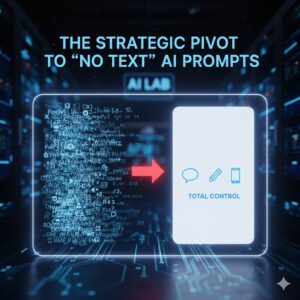
When most sellers first experiment with AI image generators like Midjourney or DALL-E, they try to do everything at once. They ask the AI to “create an infographic with five bullet points about a vacuum cleaner.” The result? A beautiful image ruined by “gibberish” text and misspelled words that make your brand look amateur.
Why You Need a No-Text Version First
Total Creative Control: You can place your text exactly where it won’t interfere with Amazon’s mobile UI.
Resolution & Clarity: AI focuses its “processing power” on the textures and lighting of the product rather than trying to render complex characters.
Localized Global Selling: One clean image can be used for your US, German, and Japanese listings by simply swapping the text layers in post-production.
II. How to Craft a High-Converting Amazon Product Infographic Image Prompt (No Text Version)
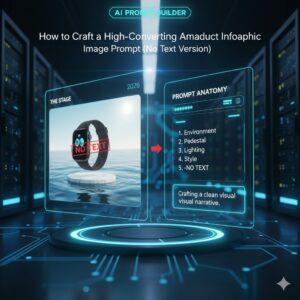
To get the best results, you need to think like a set designer. Your prompt should describe the stage, the lighting, and the atmosphere, while explicitly forbidding the AI from adding its own “flair” (like text).
H3: The Core Framework for Your Prompt
A successful prompt follows a specific sequence. Use this “recipe” to build yours:
The Environment: (e.g., A minimalist Zen garden, a sleek modern kitchen, a high-tech laboratory).
The Pedestal: Where does the product sit? (e.g., A floating marble slab, a velvet cushion, a clean white podium).
The Lighting: (e.g., Soft side-lighting, cinematic shadows, bright 6000k studio light).
The Style: (e.g., Photorealistic, 8k, shot on 35mm lens).
The Negative Command: (e.g., No text, no words, no letters, no labels).
III. Category-Specific “No-Text” Prompt Templates
Not every product should look the same. A tactical flashlight needs a different “vibe” than a bottle of organic lavender oil. Use the table below to mix and match your prompt ingredients.
Table: Prompt Elements for Popular Amazon Categories
| Category | Suggested Environment | Best Lighting | “No-Text” Keyword |
| Electronics | Dark carbon fiber surface | Cool blue rim light | “Zero lettering” |
| Supplement/Health | Clean white lab counter | Bright, clinical, airy | “Blank packaging” |
| Kitchen/Home | Warm oak wood grain | Morning sunlight via window | “Clean surfaces” |
| Beauty/Skincare | Rippling water, pastel stone | Soft, ethereal glow | “No typography” |
IV. Advanced Tips for Bypassing AI Limitations
Even with the best amazon product infographic image prompt (no text version), AI sometimes tries to be “helpful” by adding a fake brand name. Here is how you stop it:
The Power of Negative Prompting
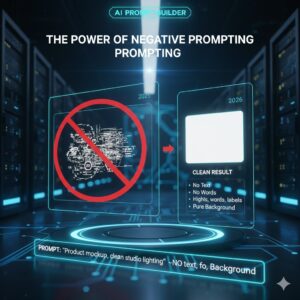
In advanced AI tools, you can use a “negative weight.” This tells the AI what to actively avoid.
In Midjourney: Add
--no text, words, letters, labels, logoto the end of your prompt.In DALL-E 3: Use a descriptive sentence like: “Ensure the background and all surfaces are completely blank and devoid of any writing or symbols.”
Focus on “The Empty Stage”
Instead of asking for a “Product Infographic,” ask for a “Product Display Mockup.” This shift in terminology signals to the AI that you want a background ready for a product to be placed inside it, rather than a finished graphic design piece.
V. Transforming Your “No-Text” Image into a Best-Seller
Once you have your stunning, clean image from your amazon product infographic image prompt (no text version), your job is only half done. Now, you must layer in the information that actually sells.
Step 1: The Cutout. Use a tool like Photoroom or Photoshop to remove the background from your actual product photo.
Step 2: The Integration. Place your product into the AI-generated “stage.” Adjust the shadows so it looks like it truly belongs there.
Step 3: The Infographic Overlay. Add 3-5 key benefits. Use high-contrast icons and bold, sans-serif fonts (like Montserrat or Roboto) that are easy to read on a smartphone screen.
Note: Amazon’s 2026 guidelines emphasize that while your “Main Image” must be on a pure white background, your “Secondary Images” (the infographics) should be lifestyle-focused and visually engaging.
FAQ: Mastering the Amazon Product Infographic Image Prompt (No Text Version)
1. Why shouldn’t I just let the AI write the text for me?
AI currently struggles with “spatial awareness” of text. It often places letters in ways that look warped or nonsensical. By using a no text version prompt, you maintain professional standards and ensure your information is 100% accurate.
2. Can I use these images for my Main Hero Image?
Generally, no. Amazon requires the Main Image to be on a pure white background with no props. However, these “no text” prompts are perfect for your 2nd through 7th image slots, where lifestyle and infographic content drive conversions.
3. Which AI tool gives the best “clean” results?
As of 2026, Gemini 3 (specifically the Nano Banana model) and Midjourney V6.1 lead the pack in photorealism and following “negative prompts” to keep images text-free.
4. How do I make the lighting look real?
In your amazon product infographic image prompt (no text version), always specify the “Light Temperature.” Use “Warm 3000k” for home goods and “Cool 6000k” for tech and healthcare products.
Conclusion: From Scrolling to Sold
The “Add to Cart” button is only clicked when a customer feels a sense of certainty. Cluttered, text-heavy AI images create doubt. But a crisp, professional-grade visual—born from a well-crafted amazon product infographic image prompt (no text version)—creates a premium brand experience. You have the tools now to stop the scroll and start the sale.
Stop settling for “good enough” AI graphics. It’s time to build a visual identity that outshines the competition and speaks directly to your customer’s desires.
Ready to transform your listing?
Would you like me to write a custom, high-detail prompt for your specific product category to get you started today?