60 AI Prompts for Viral YouTube Thumbnails (Copy & Paste)
60 AI Prompts for Viral YouTube Thumbnails (Copy & Paste)
You can spend hours researching a video, recording it, editing every scene, and writing the perfect title—only to watch people scroll past it. One of the biggest reasons can be surprisingly simple: your thumbnail did not give them a reason to stop.
Your YouTube thumbnail has a difficult job. It has to communicate an idea in a tiny space, create curiosity, establish an emotion, and make your video stand out among dozens of competing recommendations. Doing all of that from scratch can take time, especially when you are not a professional designer.
That is where AI can help.
With the right prompts, you can generate fresh concepts for gaming videos, tutorials, business content, reactions, travel videos, food channels, AI tutorials, and almost any other YouTube niche. Instead of staring at a blank canvas, you can give an AI image generator a detailed creative direction and build your thumbnail from there.
Below, you will find 60 AI prompts for Viral YouTube Thumbnails that you can copy, paste, customize, and use for your next video.
Why Viral YouTube Thumbnails Matter
Your thumbnail is often the first visual element people notice before deciding whether to watch your video. A strong thumbnail does not need to explain everything. Its purpose is to create enough interest for someone to want to know more.
The most effective thumbnails usually combine a few simple principles:
- One obvious focal point
- Strong visual contrast
- A recognizable subject
- A clear emotion
- Minimal visual clutter
- A curiosity-driven concept
- A design that remains readable on mobile devices
You should also make sure your thumbnail accurately represents your video. A highly clickable image that disappoints viewers can hurt the overall performance of your content.
How to Write Better AI Prompts for YouTube Thumbnails
Before using the prompts below, understand one important principle: the more useful information you give the image generator, the more control you have over the result.
A good thumbnail prompt can include:
- Subject: What should viewers see?
- Emotion: What should they feel?
- Action: What is happening?
- Background: Where does the scene take place?
- Composition: What should attract attention first?
- Lighting: Bright, cinematic, dramatic, mysterious, or natural?
- Camera angle: Close-up, wide-angle, low-angle, overhead, etc.
- Style: Photorealistic, cinematic, energetic, minimalist, or editorial.
- Format: A 16:9 YouTube’s Test & Compare feature.
You can replace words inside brackets with details from your own video.
60 AI Prompts for Viral YouTube Thumbnails
AI Prompts for General Viral YouTube Thumbnails
1. Ultimate Click-Worthy Thumbnail
Prompt:
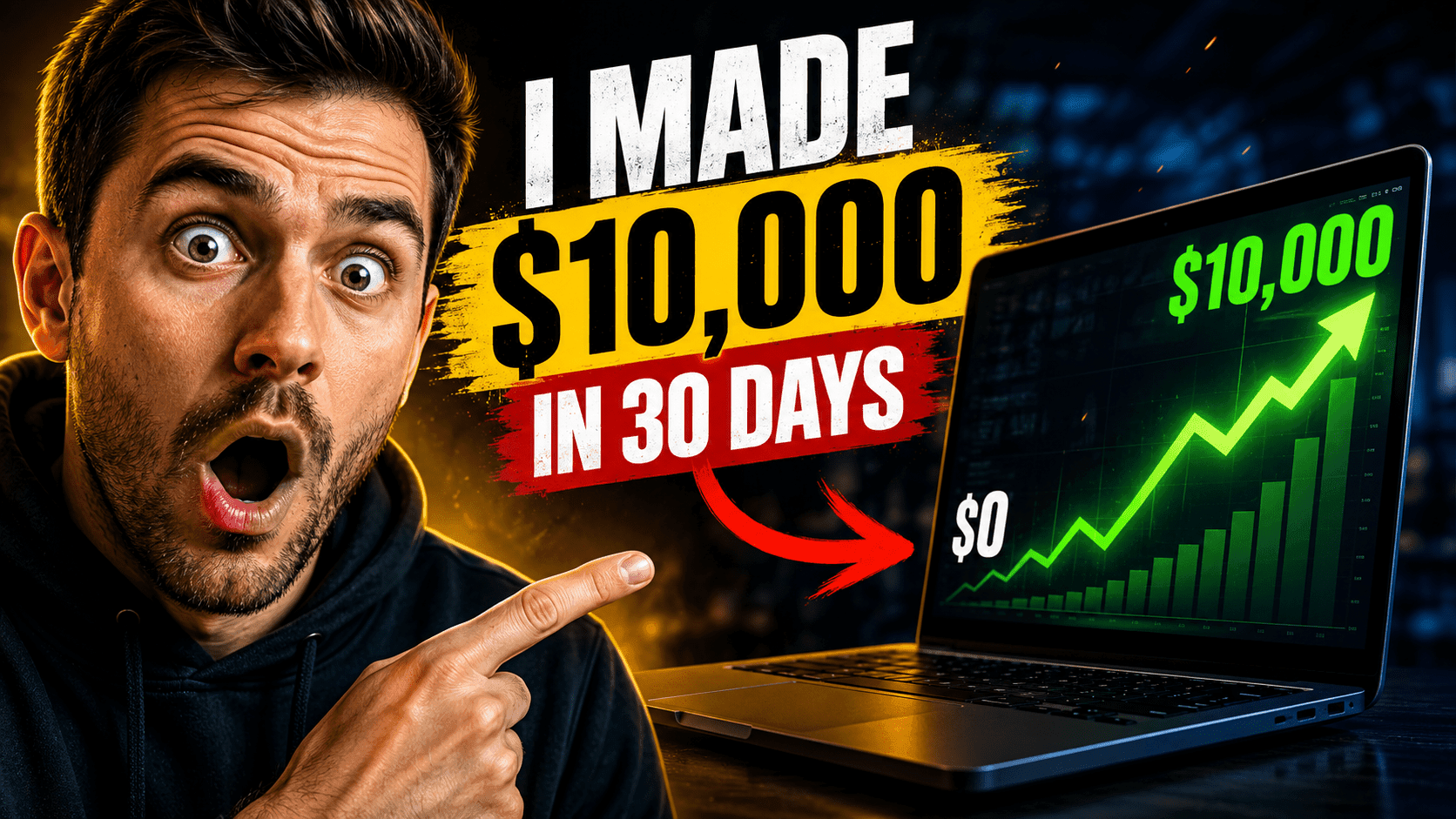
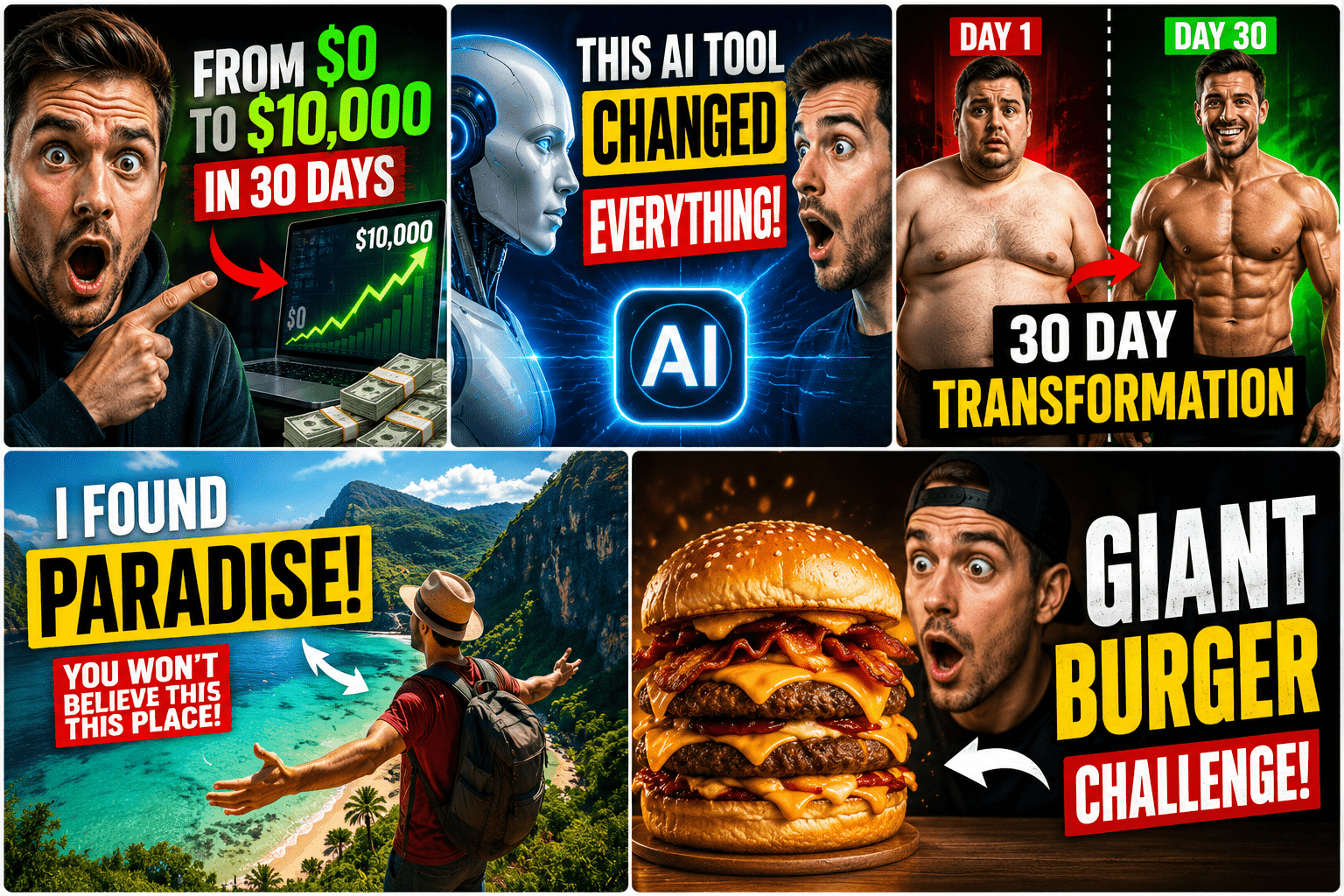
Create a highly engaging YouTube thumbnail about [TOPIC]. Use one powerful central subject, dramatic lighting, strong contrast, an expressive emotion, clean composition, visually striking details, and a curiosity-driven scene. Make the subject immediately understandable on a mobile screen. Professional YouTube thumbnail, cinematic quality, 16:9.

2. Curiosity Thumbnail
Create a mysterious YouTube thumbnail about [TOPIC] that makes viewers immediately wonder what happened. Show one unusual visual element, strong facial emotion, dramatic lighting, and a simple background. Avoid clutter and make the story understandable at a glance. 16:9.
3. Before-and-After Thumbnail
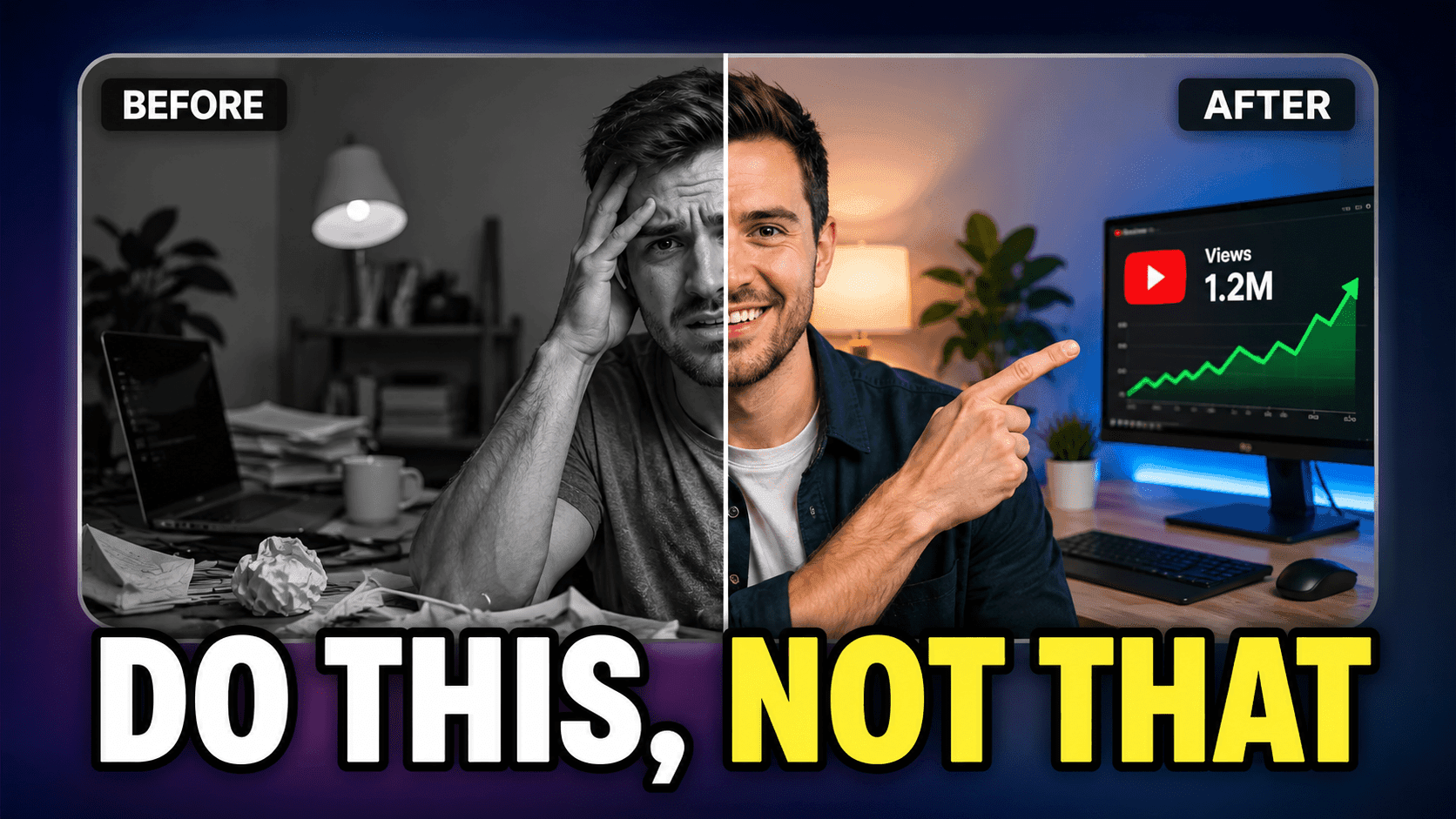
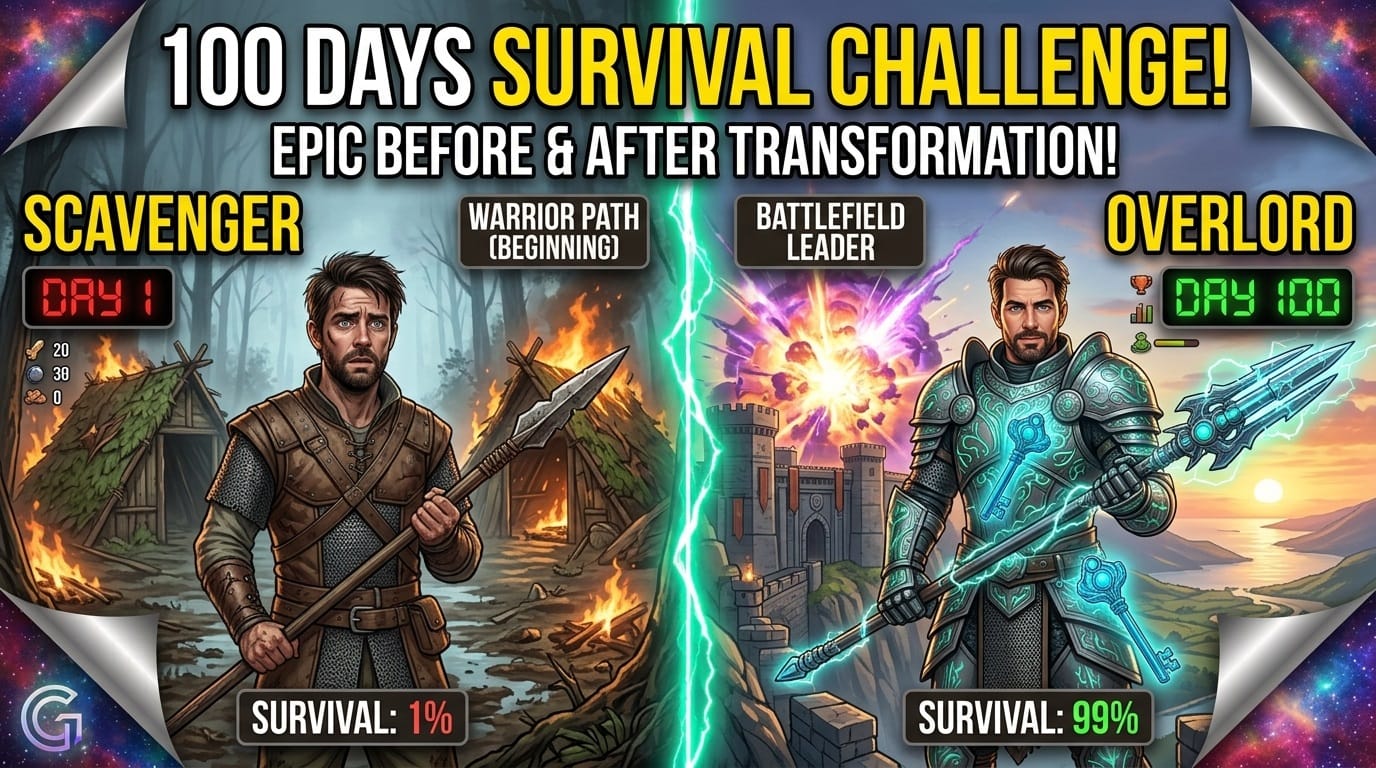
Create a dramatic before-and-after YouTube thumbnail showing [TRANSFORMATION]. Split the composition into two visually contrasting sides, with a clear transformation in the center. Strong expressions, professional lighting, realistic details, high visual impact, 16:9.
4. Unexpected Discovery
Create a YouTube thumbnail showing a person discovering something completely unexpected related to [TOPIC]. Use a shocked facial expression, dramatic close-up, strong depth, cinematic lighting, and one mysterious object in the background. 16:9.
5. “I Tried It” Thumbnail
Create an energetic YouTube thumbnail for a video where someone tries [CHALLENGE]. Show the creator reacting emotionally while performing the challenge. Make the situation instantly understandable, dramatic, colorful, and visually exciting. 16:9.
AI Prompts for Reaction and Facial Expression Thumbnails
6. Shocked Reaction
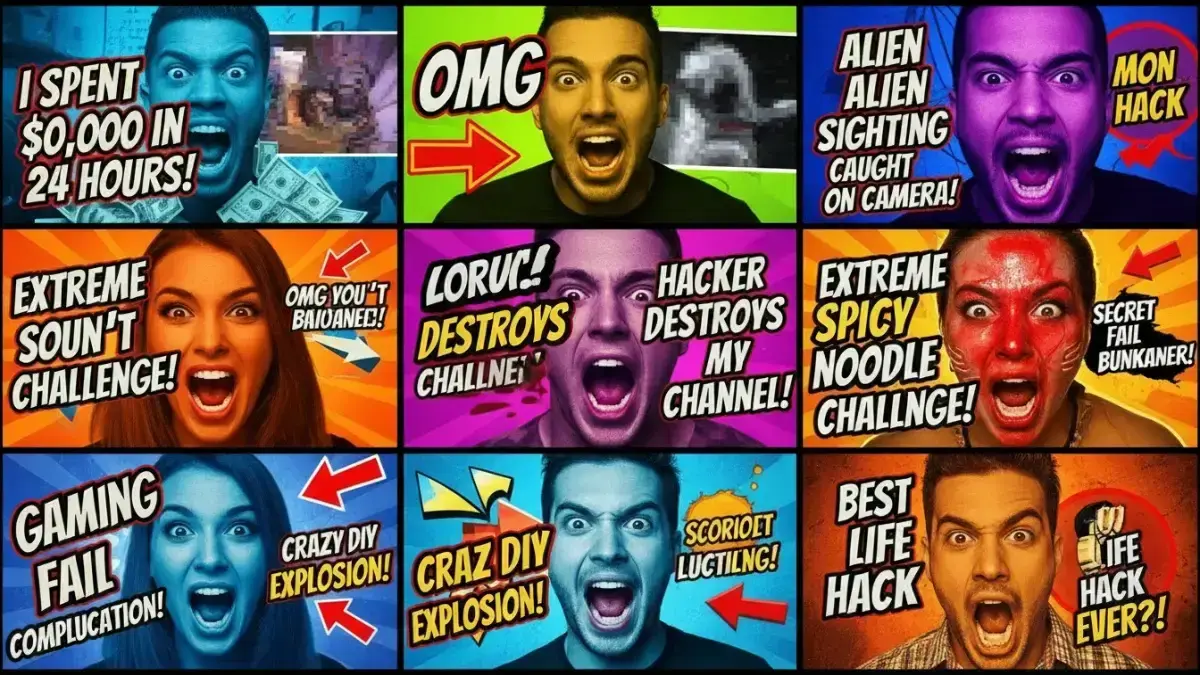
Create a dramatic YouTube thumbnail featuring a person with an intense shocked expression reacting to [OBJECT/EVENT]. Extreme close-up, expressive eyes, cinematic lighting, clean background, strong contrast, realistic photography, 16:9.
7. Excited Reaction
Create an energetic YouTube thumbnail showing a creator extremely excited about [TOPIC]. Use an expressive face, dynamic pose, dramatic lighting, strong visual contrast, and one large recognizable object. 16:9.
8. Fear Reaction
Create a suspenseful YouTube thumbnail featuring a frightened person reacting to [EVENT]. Dark cinematic atmosphere, dramatic shadows, expressive facial emotion, mysterious background, strong focal point, realistic photography, 16:9.
9. Confused Reaction
Create a funny YouTube thumbnail showing a confused creator looking at [OBJECT]. Exaggerated but believable facial expression, simple background, strong contrast, close-up composition, professional YouTube style, 16:9.
10. “What Happened?” Reaction
Create a curiosity-driven YouTube thumbnail showing a creator looking completely shocked at an unexpected situation involving [TOPIC]. Use dramatic lighting, close-up framing, strong emotion, and a mysterious background. 16:9.
AI Prompts for Gaming YouTube Thumbnails
11. Epic Gaming Battle
Create an epic YouTube gaming thumbnail featuring [GAME/CHARACTER] in the middle of an intense battle. Dramatic action, powerful lighting, cinematic perspective, explosive background, strong contrast, highly detailed game-inspired visuals, 16:9.
12. Boss Fight
Create a dramatic gaming thumbnail showing a small player character facing a gigantic boss in [GAME]. Create a strong sense of scale, cinematic lighting, intense atmosphere, dynamic perspective, and a clear focal point. 16:9.
13. Rare Item
Create a gaming YouTube thumbnail featuring an extremely rare and valuable [ITEM] glowing in the center. Show an excited player's reaction in the background, dramatic lighting, strong contrast, premium gaming aesthetic, 16:9.
14. Impossible Challenge
Create a high-energy gaming thumbnail showing a player attempting an almost impossible challenge in [GAME]. Use dramatic action, intense facial expression, environmental danger, cinematic lighting, and strong visual storytelling. 16:9.
15. Epic Gaming Fail
Create a funny gaming YouTube thumbnail showing a player experiencing a spectacular failure in [GAME]. Exaggerated reaction, chaotic action, humorous visual details, bright dramatic lighting, clean composition, 16:9.
AI Prompts for Business and Money Videos
16. Business Opportunity
Create a professional YouTube thumbnail about [BUSINESS IDEA]. Show an entrepreneur reacting to a successful opportunity, a strong visual representation of growth, dramatic lighting, modern background, clear focal point, realistic photography, 16:9.
17. Income Transformation
Create a compelling YouTube thumbnail showing a financial transformation from [STARTING POINT] to [RESULT]. Use a clear visual contrast, surprised expression, modern business environment, dramatic lighting, and clean composition. 16:9.
18. Business Failure
Create a dramatic business YouTube thumbnail showing an entrepreneur reacting to a major business failure. Include visual clues such as declining charts and an emotional facial expression. Cinematic lighting, realistic photography, strong contrast, 16:9.
19. Side Hustle
Create a modern YouTube thumbnail about [SIDE HUSTLE]. Show a person working on the business from home, with visual elements representing growth and opportunity. Clean composition, realistic photography, strong contrast, 16:9.
20. Business Secret
Create a curiosity-driven YouTube thumbnail about a hidden business strategy. Show an entrepreneur pointing toward a mysterious visual representing [STRATEGY]. Dramatic lighting, strong expression, clean background, cinematic composition, 16:9.
AI Prompts for AI and Technology Videos
21. New AI Tool
Create a futuristic YouTube thumbnail introducing [AI TOOL]. Show a creator reacting with surprise beside a futuristic AI interface. Glowing digital elements, cinematic lighting, modern technology aesthetic, strong focal point, 16:9.
22. AI Comparison
Create a split-screen YouTube thumbnail comparing [AI TOOL A] and [AI TOOL B]. Use two distinct visual identities, a creator reacting between them, dramatic lighting, strong contrast, clean composition, 16:9.
23. AI Tutorial
Create a professional YouTube thumbnail for a tutorial about [AI TASK]. Show a creator pointing toward the result produced by the AI. Clean interface-inspired background, strong expression, modern lighting, simple composition, 16:9.
24. Future of AI
Create a cinematic YouTube thumbnail representing the future of artificial intelligence. Show a human interacting with advanced AI technology, futuristic city background, dramatic lighting, realistic details, powerful visual storytelling, 16:9.
25. AI Transformation
Create a dramatic YouTube thumbnail showing how AI transforms [TASK/INDUSTRY]. Use a before-and-after concept, human reaction, futuristic technology, strong contrast, cinematic lighting, 16:9.
AI Prompts for Fitness and Lifestyle Videos
26. Fitness Transformation
Create a powerful YouTube thumbnail showing a dramatic fitness transformation. Use a clear before-and-after composition, confident expression, realistic body proportions, professional gym environment, strong lighting, 16:9.
27. Workout Challenge
Create an energetic YouTube thumbnail showing a person attempting [WORKOUT CHALLENGE]. Dynamic pose, intense expression, modern gym, dramatic lighting, strong sense of movement, clean composition, 16:9.
28. Fitness Mistakes
Create an educational YouTube thumbnail showing a person making a common fitness mistake. Clearly emphasize the incorrect action and the creator's concerned reaction. Clean gym background, realistic photography, strong contrast, 16:9.
29. Healthy Lifestyle
Create a bright, premium YouTube thumbnail about healthy living. Show fresh food, exercise equipment, and a confident person in a clean environment. Modern lifestyle photography, natural-looking lighting, clean composition, 16:9.
30. 30-Day Challenge
Create a YouTube thumbnail showing a dramatic 30-day transformation related to [GOAL]. Use a visual timeline, clear progress, expressive creator, professional lighting, realistic photography, and strong visual contrast. 16:9.
AI Prompts for Travel YouTube Thumbnails
31. Dream Destination
Create a cinematic travel YouTube thumbnail featuring [DESTINATION]. Show a traveler reacting with excitement, an iconic landscape in the background, dramatic natural lighting, vibrant scenery, realistic travel photography, 16:9.
32. Hidden Place
Create a mysterious travel thumbnail showing a hidden location in [DESTINATION]. Include a surprised traveler discovering the location, cinematic atmosphere, dramatic perspective, beautiful scenery, and strong curiosity. 16:9.
33. Luxury Travel
Create a premium travel YouTube thumbnail showing an extraordinary luxury experience in [DESTINATION]. Elegant environment, breathtaking scenery, sophisticated traveler, cinematic lighting, high-end photography, 16:9.
34. Budget Travel
Create an engaging YouTube thumbnail about traveling to [DESTINATION] on a small budget. Show an excited traveler, beautiful destination, visual clues representing affordability, bright realistic photography, strong composition, 16:9.
35. Travel Disaster
Create a dramatic travel YouTube thumbnail showing an unexpected disaster during a trip to [DESTINATION]. Strong emotional reaction, chaotic environment, cinematic lighting, realistic details, clear storytelling, 16:9.
AI Prompts for Food and Cooking Videos
36. Mouth-Watering Food
Create an extremely appetizing YouTube thumbnail featuring [DISH]. Extreme close-up, rich food texture, steam, professional food photography, dramatic lighting, beautiful presentation, clean background, 16:9.
37. Giant Food Challenge
Create a fun YouTube thumbnail showing a giant version of [FOOD]. Include a person reacting with surprise beside it to communicate its enormous size. Bright lighting, dramatic perspective, realistic food photography, 16:9.
38. Recipe Transformation
Create a YouTube thumbnail showing [INGREDIENTS] transformed into a beautiful finished [DISH]. Use a before-and-after composition, appetizing details, dramatic food photography, clean background, 16:9.
39. Food Challenge
Create an energetic YouTube thumbnail showing a creator attempting to eat [FOOD CHALLENGE]. Large portion of food in the foreground, intense facial reaction, dramatic lighting, clean composition, 16:9.
40. Restaurant Review
Create a professional YouTube thumbnail for a restaurant review of [RESTAURANT/FOOD]. Show the most visually appealing dish in the foreground and an expressive reviewer reacting behind it. Premium food photography, cinematic lighting, 16:9.
AI Prompts for Education and Tutorials
41. Learn Quickly
Create a clean YouTube thumbnail about learning [SUBJECT] quickly. Show a confident student, visual representation of the topic, simple background, strong contrast, modern educational design, 16:9.
42. Common Mistakes
Create an educational YouTube thumbnail showing the biggest mistake people make when learning [SUBJECT]. Show an obvious mistake, concerned facial expression, clear visual storytelling, clean composition, 16:9.
43. Tutorial Result
Create a YouTube thumbnail showing the impressive result of learning [SKILL]. Show the creator proudly presenting the finished result, realistic environment, strong lighting, clean composition, 16:9.
44. Exam Preparation
Create an engaging YouTube thumbnail about preparing for [EXAM]. Show a stressed student surrounded by study materials, then visually emphasize confidence and preparation. Dramatic but realistic lighting, 16:9.
45. Educational Breakthrough
Create a cinematic educational thumbnail showing a person suddenly understanding a difficult concept about [SUBJECT]. Use an expressive face, visual symbols representing understanding, clean background, dramatic lighting, 16:9.
AI Prompts for Mystery and Storytelling
46. Unsolved Mystery
Create a dark cinematic YouTube thumbnail about an unsolved mystery involving [TOPIC]. Show one mysterious object or location, subtle clues, dramatic shadows, atmospheric lighting, realistic documentary style, 16:9.
47. Historical Mystery
Create a cinematic historical YouTube thumbnail about [HISTORICAL EVENT]. Authentic historical environment, mysterious central subject, dramatic lighting, realistic textures, documentary aesthetic, 16:9.
48. What Really Happened?
Create a suspenseful YouTube thumbnail asking viewers to discover what really happened during [EVENT]. Show a mysterious scene, emotional subject, subtle visual clues, dramatic cinematic lighting, realistic details, 16:9.
49. Hidden Truth
Create a documentary-style YouTube thumbnail about a hidden truth related to [TOPIC]. Use a mysterious central image, serious facial expression, dark cinematic atmosphere, strong visual hierarchy, 16:9.
50. Unexpected Story
Create a compelling YouTube thumbnail representing an unexpected story about [PERSON/EVENT]. Show the most emotionally powerful moment, cinematic composition, realistic photography, strong facial expression, 16:9.
AI Prompts for YouTube Shorts and Trending Content
51. Viral Shorts
Create a highly attention-grabbing YouTube Shorts thumbnail about [TOPIC]. Use an extreme close-up, bold visual subject, strong emotion, high contrast, simple background, mobile-first composition, 16:9.
52. Trending Topic
Create a modern YouTube thumbnail about [TRENDING TOPIC]. Show the main subject immediately, use a strong emotional reaction, cinematic lighting, clean composition, and visual elements that communicate the topic without misleading viewers. 16:9.
53. Challenge Short
Create an energetic YouTube thumbnail showing a creator attempting [CHALLENGE]. Dynamic movement, expressive face, clear action, dramatic perspective, high visual energy, 16:9.
54. Reaction Short
Create a highly expressive reaction thumbnail about [TOPIC]. Extreme facial expression, close-up framing, simple background, strong contrast, cinematic lighting, realistic photography, 16:9.
55. Unexpected Moment
Create a YouTube thumbnail capturing the exact moment something unexpected happens during [EVENT]. Strong reaction, dramatic action, clear focal point, cinematic lighting, realistic details, 16:9.
Advanced AI Prompts for Professional Thumbnail Concepts
56. Cinematic Thumbnail
Create a cinematic YouTube thumbnail about [TOPIC]. Use professional photography, dramatic three-point lighting, shallow depth of field, strong foreground and background separation, one dominant subject, emotional storytelling, realistic details, premium visual quality, 16:9.
57. High-Energy Creator Thumbnail
Create a high-energy YouTube thumbnail featuring a creator reacting dramatically to [TOPIC]. Strong expression, dynamic pose, visually simple background, bold contrast, cinematic lighting, exciting composition, professional creator aesthetic, 16:9.
58. Minimalist Thumbnail
Create a minimalist YouTube thumbnail about [TOPIC]. Use only one main subject and one supporting visual element. Large clear focal point, negative space, dramatic lighting, clean background, premium design, instantly understandable, 16:9.
59. A/B Thumbnail Concepts
Generate five different YouTube thumbnail concepts for [VIDEO TOPIC]. Each concept should use a different emotion, camera angle, composition, background, and visual hook. Keep every design simple, highly readable on mobile, curiosity-driven, professional, and accurately related to the video. 16:9.
60. Complete Professional Thumbnail Prompt
Create a professional, highly engaging YouTube thumbnail for a video about [VIDEO TOPIC]. Main subject: [SUBJECT]. Emotion: [EMOTION]. Action: [ACTION]. Background: [BACKGROUND]. Camera angle: [ANGLE]. Lighting: dramatic cinematic lighting. Composition: one dominant focal point with strong foreground-background separation. Use realistic details, strong contrast, clean visual hierarchy, expressive human emotion, minimal clutter, mobile-friendly design, and a curiosity-driven visual story. Make the thumbnail accurately represent the video without misleading viewers. Professional YouTube thumbnail photography, 16:9 aspect ratio.
How to Make Your AI YouTube Thumbnails Better
Generating an image is only the beginning. You should review every result before uploading it.
Keep One Main Idea
If your thumbnail contains ten different objects, viewers may not know where to look. Give the image one dominant subject and, when necessary, one supporting element.
Make Emotions Easy to Read
A strong facial expression can communicate the story quickly. Surprise, excitement, fear, confusion, curiosity, and satisfaction can all work when they genuinely fit your video’s subject.
Avoid Too Much Text
Your thumbnail should not become a second title. If you use text, keep it short and readable.
Examples include:
- “I FAILED”
- “THE TRUTH”
- “IT WORKED!”
- “DON’T DO THIS”
- “WORTH IT?”
- “I WAS WRONG”
Design for Mobile
Many viewers will encounter your thumbnail on a relatively small screen. Zoom out and check whether the main idea is still obvious.
Before publishing, ask yourself:
- Can you understand the subject immediately?
- Is the main object large enough?
- Is the background distracting?
- Can you read the text?
- Does the emotion make sense?
- Does the image accurately represent the video?
Common AI Thumbnail Mistakes
AI can produce impressive images, but you should not publish the first result automatically.
Watch for:
- Strange hands or fingers
- Unnatural facial expressions
- Distorted objects
- Excessive visual effects
- Tiny unreadable details
- Too many competing subjects
- Misleading imagery
- Text errors generated inside the image
- Visuals that do not match the actual video
You can often get a better result by simplifying the prompt rather than making it longer.
A Simple Workflow for Creating Viral YouTube Thumbnails
You can turn the 60 prompts above into a repeatable workflow:
Step 1: Identify the strongest idea in your video.
Step 2: Choose one prompt that matches your niche.
Step 3: Replace the placeholders with your specific topic.
Step 4: Generate several different concepts.
Step 5: Remove weak or confusing designs.
Step 6: Add your branding or short text if needed.
Step 7: Compare different thumbnail versions.
Step 8: Monitor how your audience responds and improve future designs.
The goal is not simply to create the prettiest image. Your goal is to create a thumbnail that communicates the video’s value quickly and makes the right viewer curious.
FAQ About Viral YouTube Thumbnails
What makes Viral YouTube Thumbnails effective?
Effective thumbnails usually have a clear focal point, strong contrast, an understandable visual story, and an emotion or curiosity hook. You should also make sure the thumbnail matches the actual video.
Can AI create Viral YouTube Thumbnails?
Yes. AI can help you brainstorm concepts and generate visual directions quickly. However, you should still review, edit, and test the results rather than relying completely on automation.
What is the best AI prompt for Viral YouTube Thumbnails?
There is no single best prompt for every channel. The best prompt depends on your niche, audience, video topic, emotion, and visual concept. The complete professional prompt above gives you a useful starting framework.
How do you write an AI prompt for a YouTube thumbnail?
Use a simple structure: subject + emotion + action + background + camera angle + lighting + composition + style + aspect ratio. Then customize the details according to your video.
Should you put text on a YouTube thumbnail?
You can, but you do not always need it. If the image communicates the idea clearly, additional text may be unnecessary. When you use text, keep it short and highly readable.
How can you improve your YouTube thumbnail CTR?
Start by improving the concept rather than simply adding more effects. Create multiple thumbnail ideas, use clear visual storytelling, make the subject easy to recognize, and compare different versions when possible.
Are AI-generated thumbnails allowed on YouTube?
AI-generated imagery can be used as part of your creative workflow, but you should follow YouTube’s current policies and avoid thumbnails that deceive viewers or make promises the video does not fulfill.
Conclusion
Creating an attention-grabbing YouTube thumbnail does not have to start with a blank screen. With the right AI prompt, you can quickly explore different concepts, emotions, compositions, and visual styles until you find an idea that fits your video.
The 60 AI prompts for Viral YouTube Thumbnails in this guide give you a starting point for gaming, business, technology, fitness, travel, food, education, storytelling, Shorts, and many other niches.
Remember that AI should support your creativity rather than replace your judgment. Generate multiple versions, simplify anything that feels cluttered, check the image carefully, and make sure your final thumbnail delivers exactly what your video promises.
Now choose one of the prompts above, replace the brackets with your topic, and generate your first set of thumbnail ideas. Your next high-performing thumbnail could be only one prompt away.