How to Create Perfect Front, Side, and Back Views
Character Turnaround AI Prompt: How to Create Perfect Front, Side, and Back Views
If you have ever generated a character you loved—only to watch it fall apart the moment you asked for another angle—you already understand the problem this article solves. You get a clean front view, but the side view looks like a different person. The back view? Wrong outfit, wrong proportions, wrong vibe. That inconsistency is one of the biggest frustrations in AI image generation today.
This is exactly where a character turnaround AI prompt becomes your most powerful tool.
In this guide, you will learn how to create a character turnaround prompt for front, side, and back views that keeps your character consistent, professional, and usable for real projects. Whether you design for games, comics, animation, or storytelling, this article gives you a practical system you can apply immediately.
What Is a Character Turnaround Prompt?

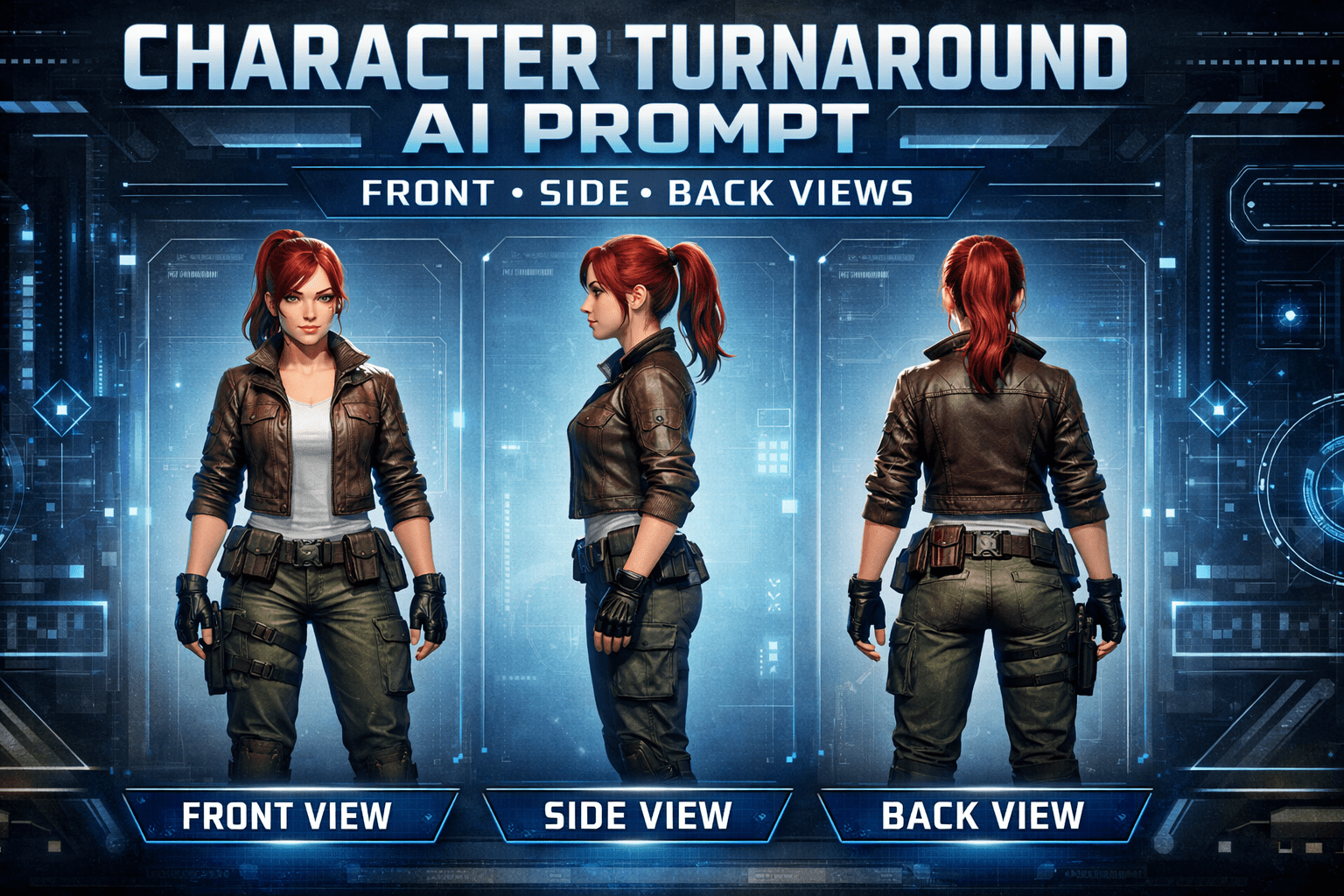
A character turnaround prompt is a structured AI prompt designed to generate the same character from multiple angles—typically front, side, and back—without changing identity, clothing, or proportions.
You are not asking the AI to “invent” three characters. You are instructing it to document one character from different viewpoints, just like professional character sheets used in studios.
When done correctly, a character turnaround AI prompt helps you:
- Maintain visual consistency
- Save time on revisions
- Create reusable reference images
- Build believable characters that feel intentional
Why Front, Side, and Back Views Matter
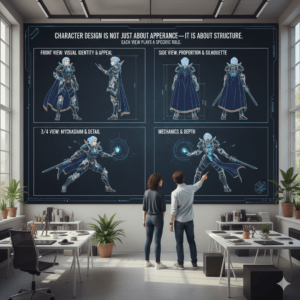
Character design is not just about appearance—it is about structure. Each view plays a specific role.
Front View: Defining Identity
The front view establishes who your character is. This is where you lock in:
- Facial features
- Body proportions
- Outfit design
- Color palette
- Personality cues
If your front view is unclear, every other angle will suffer. You should always define the front view first in your character turnaround prompt.
Side View: Showing Depth and Anatomy
The side view reveals what the front view hides:
- Nose and chin profile
- Chest and back curvature
- Posture and balance
- Clothing depth and layers
Many AI-generated characters break at this stage because the prompt does not explain how the body should look from the side.
Back View: Testing True Consistency
The back view is the ultimate test. It exposes:
- Hair shape from behind
- Outfit seams and closures
- Accessories placement
- Overall silhouette
If the back view does not match the front, the character feels unreliable and unfinished.
How a Character Turnaround AI Prompt Works

A strong character turnaround AI prompt does not rely on luck. It relies on clarity and repetition.
Instead of vague instructions, you guide the AI with:
- One clear character description
- One outfit description
- One neutral pose
- Explicit front, side, and back view instructions
The key is treating the prompt like a technical blueprint rather than a creative suggestion.
The Core Structure of a Character Turnaround Prompt
To get consistent results, your prompt should follow a logical structure.
1. Character Identity
Start by defining the character clearly:
- Age range
- Gender presentation
- Body type
- Height and build
- Overall style (realistic, anime, stylized, etc.)
This anchors the AI before any camera or view instructions appear.
2. Outfit and Visual Details
Next, describe clothing and accessories in detail:
- Colors
- Materials
- Fit
- Footwear
- Hair style
Repeat the outfit description once. Do not rephrase it differently later, or the AI may reinterpret it.
3. Pose and Expression
For turnarounds, simplicity wins:
- Neutral standing pose
- Arms relaxed
- Neutral facial expression
Dynamic poses introduce distortion and should be avoided in turnaround prompts.
4. View Instructions (Front, Side, Back)
This is where your character turnaround AI prompt becomes effective:
- Clearly state that the image includes front view, side view, and back view
- Specify that all views show the same character
- Ask for a character sheet layout or turnaround reference
Example Character Turnaround AI Prompt (Conceptual)
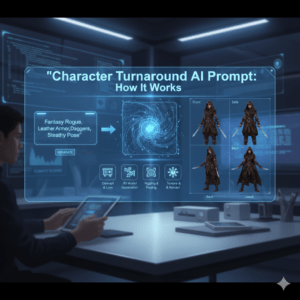
How a Character Turnaround AI Prompt Works
- Names the character once
- Describes appearance once
- Commands consistency explicitly
You can adapt this structure to any AI image generator and any art style.
Character Turnaround “Ingredients” Table
Think of your prompt like a recipe. Miss one ingredient, and the result changes.
| Ingredient | What You Describe | Why It Matters |
|---|---|---|
| Character Identity | Age, body type, style | Prevents identity drift |
| Outfit Details | Colors, materials | Avoids outfit changes |
| Pose | Neutral stance | Keeps anatomy stable |
| View Instructions | Front, side, back | Forces turnaround logic |
| Style Keywords | Realistic, anime, etc. | Locks visual consistency |
Common Mistakes That Break Character Turnarounds
Even experienced users make these mistakes:
- Describing the outfit differently in multiple places
- Forgetting to specify “same character in all views”
- Mixing dramatic lighting with reference-style images
- Using dynamic poses in a turnaround
- Adding too many artistic effects
If your results feel inconsistent, simplify your prompt before adding detail.
Advanced Tips for Better Results
Once you master the basics, small adjustments make a big difference.
Use Neutral Backgrounds
Plain or studio-style backgrounds reduce distractions and help the AI focus on form.
Control Lighting
Soft, even lighting works best for turnarounds. Harsh shadows can alter perceived shapes.
Add Negative Prompts
Use exclusions like:
- No pose variation
- No outfit change
- No extra accessories
These instructions quietly guide the AI away from common errors.
Best Use Cases for Character Turnaround AI Prompts
A character turnaround prompt is especially useful if you:
- Design game characters
- Create comics or webtoons
- Build animation references
- Develop AI-generated story characters
- Sell character packs or design assets
If consistency matters, a turnaround prompt is not optional—it is essential.
Frequently Asked Questions
What is a character turnaround AI prompt?
A character turnaround AI prompt is a structured instruction that generates front, side, and back views of the same character while maintaining consistent design and proportions.
Why does my character look different in each view?
This usually happens because the prompt lacks clear identity locking, outfit repetition, or explicit turnaround instructions.
Can I use one character turnaround prompt for different styles?
Yes, but you should adjust style keywords carefully. The core structure stays the same, while artistic style changes.
Do character turnaround prompts work for all AI image generators?
The concept works across platforms, but wording may need slight adjustments depending on how each model interprets instructions.
Final Thoughts: Take Control of Character Consistency
When you stop treating AI image generation as guesswork and start using a character turnaround AI prompt, everything changes. You gain control. You reduce wasted generations. You build characters that feel intentional, not accidental.
Now it is your turn.
Experiment with structured prompts. Test front, side, and back views. Refine your descriptions. And if this guide helped you, share it with other creators who are tired of inconsistent characters and ready to design with confidence.