How to Use a Hyper-Realistic Face Preservation Prompt for Cinematic AI Portraits
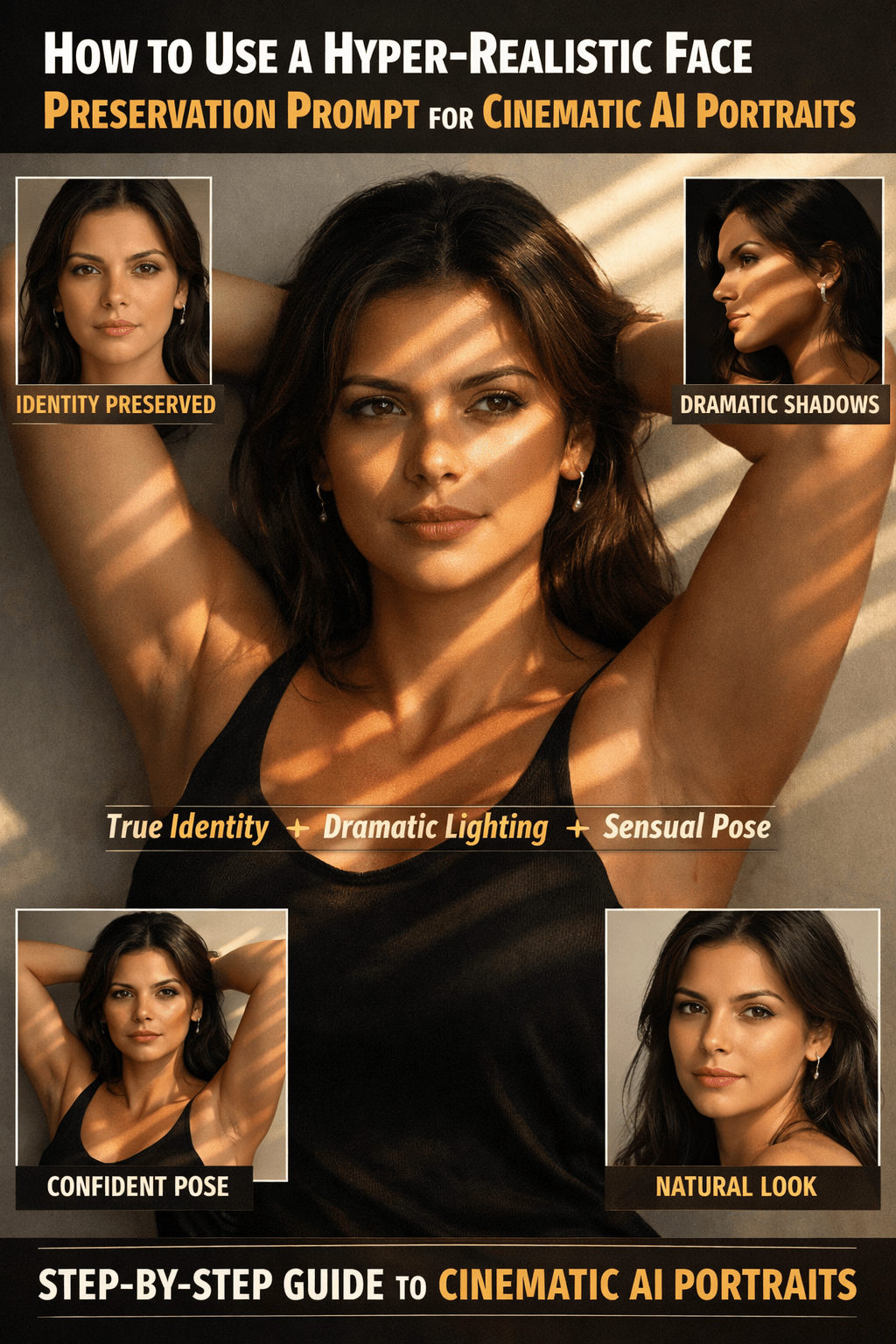
How to Use a Hyper-Realistic Face Preservation Prompt for Cinematic AI Portraits Creating a cinematic portrait that keeps your real face 100% intact while upgrading lighting, pose, and mood is one of the hardest challenges in AI image generation. You want drama and elegance—without the AI “beautifying” or reshaping you. This guide breaks down how to use the provided prompt to achieve faithful, window-lit portraits that look editorial, intimate, and unmistakably you.
You’ll learn why each line matters, how to avoid common distortions, and how to adapt the prompt for consistent results across tools—all while keeping search-friendly clarity and practical value.
Why This Prompt Works (and Why Most Don’t)
Most portrait prompts fail because they mix style instructions with identity changes. Your prompt does the opposite. It locks identity first, then layers style on top.
Here’s why that’s powerful:
- Identity is explicitly protected: You clearly instruct the model not to alter face shape, features, skin tone, hair, or body.
- Style is separated from appearance: Lighting, pose, and mood are added around your real look.
- Cinematic cues are precise: Window light, shadow bands, and eye highlights guide the renderer without guesswork.
- Minimal background reduces hallucinations: A neutral backdrop keeps focus where it belongs—on your face.
This structure dramatically improves realism and consistency.
Breaking Down the Prompt Step by Step
Let’s unpack the core sections so you understand what to keep and what you can safely tweak.
1. Absolute Face Preservation (Non-Negotiable)
“Crie uma imagem realista com o MEU ROSTO e a MINHA APARÊNCIA exatamente como na foto que enviei…”

This line is the anchor. You’re telling the AI:
- Do not stylize the face
- Do not “improve” symmetry
- Do not reinterpret ethnicity or age
Pro tip: Keep this paragraph intact across generations. Repetition reinforces compliance.
2. Confident, Sensual Pose (Tasteful, Not Explicit)
“A pessoa deve estar com os braços erguidos atrás da cabeça…”

This pose communicates confidence and elegance without crossing into explicit territory. It works well because:
- Arms behind the head open the posture
- Shoulders are naturally emphasized
- The pose reads as editorial, not erotic
If you want alternatives that preserve tone:
- “postura confiante com ombros abertos”
- “pose editorial com expressão intensa”
3. Window Lighting With Shadow Bands (The Cinematic Core)
“A iluminação deve vir de uma janela, projetando faixas de luz e sombra…”

This is the most important visual instruction. Window light:
- Creates natural contrast
- Adds depth without harshness
- Feels authentic and photographic
Shadow bands are especially effective because they:
- Guide attention toward the eyes
- Add mystery and mood
- Prevent flat, studio-like results
If results feel too dark, you can add:
- “soft window light”
- “diffused daylight through curtains”
4. Background Control (Less Is More)
“O fundo deve ser simples e neutro…”

A light, neutral background:
- Reduces AI artifacts
- Prevents invented objects
- Keeps the portrait timeless
Avoid describing locations unless necessary. Simplicity improves realism.
5. Natural Makeup and Hair (Editorial Realism)
“A maquiagem deve ser natural e iluminada…”
This is crucial for avoiding the “plastic AI face” look.
You’re asking for:
- Skin glow, not heavy contour
- Soft lip shine, not bold lipstick
- Natural volume in loose hair
This aligns perfectly with modern editorial photography and boosts credibility.
6. Clothing That Frames the Face
“A roupa deve ser uma blusa preta com alças…”

Black clothing:
- Enhances contrast with window light
- Keeps attention on skin and eyes
- Feels elegant and minimal
Straps showing shoulders complement the pose without distraction.
Common Problems—and How You Fix Them
Even strong prompts can misfire. Here’s how you troubleshoot.
Problem: The Face Still Changes Slightly
Solution:
Repeat the identity lock at the end (as your prompt already does). Models often obey the last instruction most strongly.
Problem: Lighting Looks Flat
Solution:
Add descriptive cues like:
- “cinematographic contrast”
- “editorial lighting”
- “high dynamic range”
Problem: Expression Feels Empty
Solution:
Add emotional direction:
- “olhar intenso”
- “expressão confiante e misteriosa”
- “gaze direto para a câmera”
Best Use Cases for This Prompt
This prompt shines when you want:
- Personal branding portraits
- Influencer or creator profile images
- Editorial-style headshots
- Portfolio or cover visuals
- Artistic self-portraits with realism
Because identity is preserved, it’s especially useful when recognition matters.
SEO-Friendly Variations You Can Use Safely
To keep results fresh without breaking fidelity, you can rotate small style elements:
- Change background tone: “bege claro” or “cinza suave”
- Adjust mood: “clima elegante e introspectivo”
- Modify light intensity: “luz suave de fim de tarde”
Never change the identity protection block.
Why This Approach Beats Generic AI Portrait Prompts
Generic prompts aim for beauty.
This prompt aims for truth + style.
That’s why it:
- Produces more consistent faces
- Reduces over-processing
- Feels closer to real photography
- Builds trust with viewers
In a world flooded with artificial perfection, realism stands out.
Final Takeaway: Control Identity, Then Add Art
If you want AI portraits that look cinematic without losing yourself, this prompt is a blueprint you should keep.
You’re not asking the AI to invent a person.
You’re asking it to respect you—and light you beautifully.
Call to Action
Now it’s your turn.
Use this prompt as your foundation, test small lighting or mood tweaks, and compare results side by side. If you’re building a brand, portfolio, or visual identity, consistency starts here.
Want help adapting this prompt for a specific AI tool or style? Start experimenting—and refine with intention.