ChatGPT Prompts to Fix Unclear AI Responses: A Practical Guide to Getting Clear, Usable Answers
ChatGPT Prompts to Fix Unclear AI Responses: A Practical Guide to Getting Clear, Usable Answers
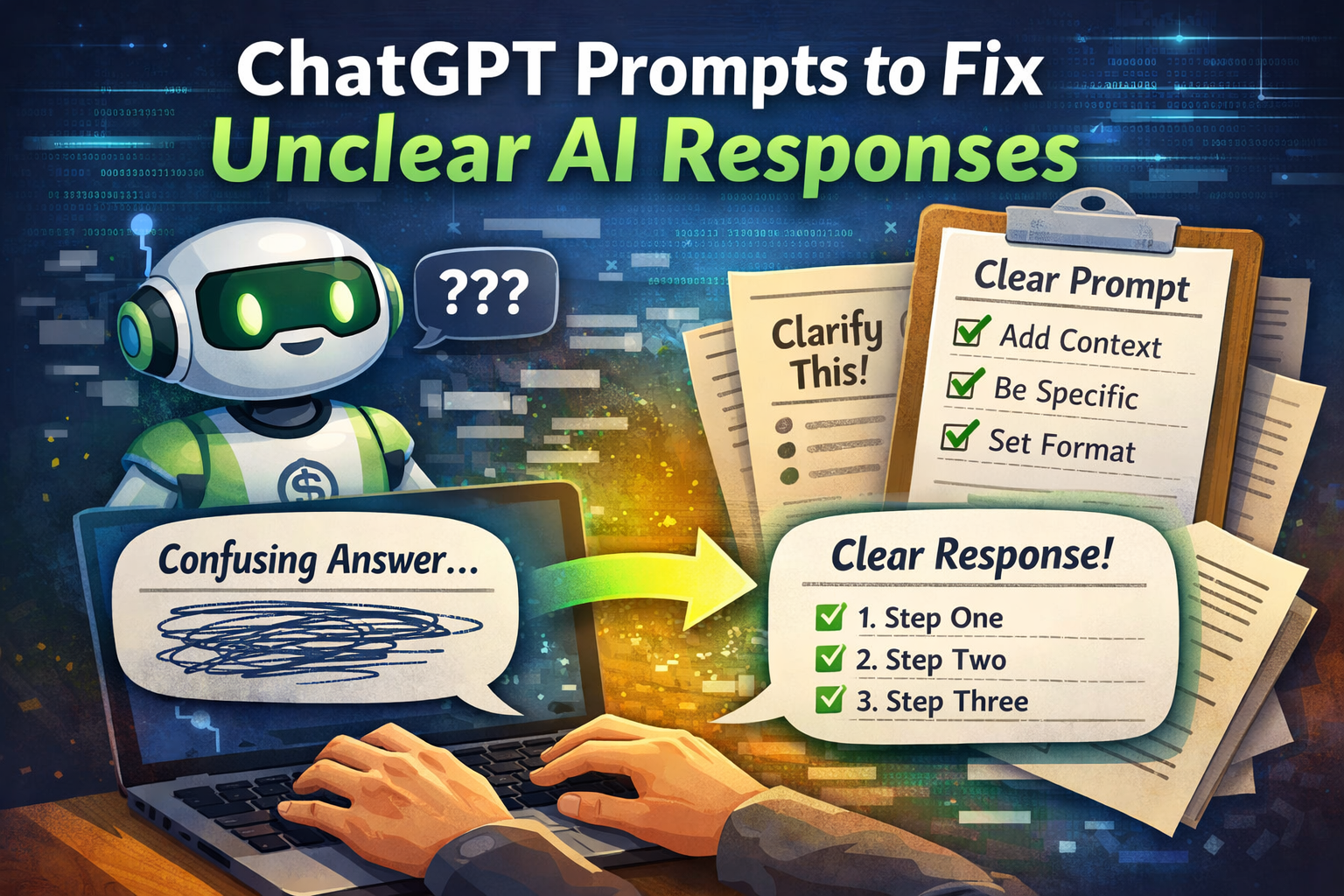
Have you ever asked ChatGPT what felt like a clear question, only to receive an answer that was vague, confusing, or just not useful? You’re not doing anything wrong — and the AI isn’t broken either. In most cases, the problem lies in how the question was asked.
When you learn how to use ChatGPT prompts to fix unclear AI responses, everything changes. You stop guessing, stop re-asking the same question five different ways, and start getting answers that are structured, focused, and actually helpful.
This guide shows you exactly how to do that. You’ll learn why unclear responses happen, how to correct them in real time, and which prompt techniques consistently lead to better results — no technical background required.
Prompt to Fix Vague Explanations
Problem
ChatGPT gives explanations that feel shallow or incomplete.
Professional Fix Prompt

Why this works:
Defines a role (expert instructor)
Forces structure (step by step)
Limits fluff
2️⃣ Prompt to Fix Overly Generic Answers

Problem
The response sounds like it could apply to anything.
Professional Fix Prompt

Pro tip:
Adding “real client” instantly increases usefulness.
3️⃣ Prompt to Get Clear, Actionable Steps
Problem
ChatGPT explains concepts but doesn’t tell you what to do next.

Professional Fix Prompt
Result:
You get execution-ready answers instead of theory.

Why ChatGPT Gives Unclear Responses in the First Place
Before you can fix unclear AI responses, it helps to understand why they appear. ChatGPT doesn’t “think” the way you do. It predicts words based on patterns. When your input lacks clarity, the output reflects that uncertainty.

Common causes include:
- Prompts that are too broad or open-ended
- Missing context about your goal or audience
- Multiple questions packed into one message
- No guidance on format, depth, or tone
- Assumptions that the AI understands your intent
If any of these sound familiar, you’re already halfway to solving the problem.
Why You Should Actively Fix Unclear AI Responses
Unclear answers cost you time and energy. You reread them, interpret them, or rewrite them yourself. That defeats the purpose of using AI.
When you apply the right ChatGPT prompts to fix unclear AI responses, you gain:
- Faster results with fewer follow-ups
- More accurate and focused information
- Content you can use immediately
- Less frustration and guesswork
Clear prompting turns ChatGPT from a “maybe useful” tool into a reliable assistant.
The Core Rule: You Control the Output by Controlling the Prompt
Think of ChatGPT like a very capable assistant who waits for instructions. If your directions are vague, the outcome will be vague. If your instructions are clear, the response improves dramatically.
To fix unclear AI responses, your prompt should answer three questions:
- What exactly do you want?
- Who is the answer for?
- How should the answer be structured?
Once you cover those points, clarity improves almost instantly.
ChatGPT Prompts to Fix Unclear AI Responses (Practical Examples)
Below are prompt styles you can use immediately. These are not theoretical — they work in real situations.
Prompts to Clarify a Vague Answer
If ChatGPT gives you an unclear response, don’t start over. Fix it directly.
Use prompts like:
- “Rewrite your last answer in clearer, simpler language.”
- “Explain this again with more specific details.”
- “Which part of your answer is most important? Focus on that.”
These prompts signal that clarity is missing and guide the AI to correct itself.
Prompts to Add Missing Context
Sometimes the answer feels incomplete because key details are missing.
Try:
- “What information is missing from your previous response?”
- “Add context and explain why this matters in practice.”
- “Expand on this point with a real-world example.”
This approach forces the AI to slow down and fill the gaps.
Prompts to Force Structure and Logic
Unclear answers are often unstructured. Structure creates clarity.
Use prompts such as:
- “Break this explanation into numbered steps.”
- “Summarize this into 5 clear bullet points.”
- “Organize your answer into sections with headings.”
You’ll notice that even complex topics become easier to understand once structure is added.
Advanced ChatGPT Prompts to Fix Unclear AI Responses
Once you’re comfortable with basic clarification, you can use more advanced techniques to refine responses even further.
Error-Checking Prompts
These prompts ask ChatGPT to review itself:
- “Identify any unclear or ambiguous parts in your answer and fix them.”
- “Which sentences could confuse a beginner? Rewrite them.”
This turns the AI into its own editor.
Simplification Prompts
If the response feels overly complex, simplify it:
- “Explain this as if I have no background knowledge.”
- “Rewrite this using plain language and short sentences.”
- “Reduce this explanation to its core idea.”
Simplification is one of the fastest ways to improve usability.
Precision and Constraint Prompts
Constraints sharpen responses:
- “Answer in under 120 words.”
- “Only include actionable steps, no theory.”
- “Focus only on practical advice.”
When you limit scope, clarity increases.
A Simple Prompt Framework You Can Reuse
Here’s a repeatable framework you can apply to almost any situation:
Context + Role + Output Format + Constraint
Example:
“You are explaining this to a beginner. Rewrite your answer in 5 bullet points, using simple language, under 100 words.”
This single structure solves most unclear AI responses.
Prompt “Ingredients” Table for Clear AI Answers
Think of a good prompt like a recipe. Each ingredient improves the final result.
| Prompt Element | Why It Matters | Example |
|---|---|---|
| Context | Removes ambiguity | “For a beginner audience” |
| Role | Sets expertise | “Act as a teacher” |
| Format | Improves readability | “Use bullet points” |
| Constraint | Prevents rambling | “Max 150 words” |
| Example | Anchors clarity | “Like this sample” |
You don’t need every ingredient every time, but even two or three can dramatically improve clarity.
Common Mistakes That Keep AI Responses Unclear
Avoid these habits if you want better results:
- Asking multiple questions at once
- Using vague phrases like “talk about” or “discuss”
- Expecting the AI to guess your intent
- Ignoring an unclear answer instead of correcting it
Every unclear response is an opportunity to refine your prompt.
How to Debug an Unclear ChatGPT Response Step by Step
When an answer doesn’t work, follow this process:
- Identify the problem
Is it vague, too long, missing details, or poorly structured? - Apply a fixing prompt
Ask for clarification, structure, or simplification. - Lock the format
Specify bullets, steps, or a summary.
This method saves time and keeps you in control.
Real-Life Uses for ChatGPT Prompts to Fix Unclear AI Responses
You can apply these techniques across many tasks:
- Writing articles or blog posts
- Learning new skills
- Improving marketing copy
- Planning projects
- Understanding technical topics
Anytime clarity matters, better prompts make the difference.
Final Thoughts: Clarity Is a Skill You Can Learn
Unclear AI responses aren’t a limitation — they’re feedback. They show you where your instructions need adjustment.
When you master ChatGPT prompts to fix unclear AI responses, you stop fighting the tool and start guiding it. The result is faster work, better content, and answers you can actually use.
Your Next Step
Open ChatGPT right now. Take a recent unclear answer and apply one of the prompts from this guide. Notice how quickly the quality improves.
If you found this helpful, share it, bookmark it, or test these prompts in your next project. Clear questions lead to clear results — and now you know how to get them.