Cinematic Urban Portrait: Create a Moody AI Portrait with One Prompt
In the realm of AI image generation, simple can often be profound. Today, we’re diving into a powerful prompt that transforms a simple urban setting into a captivating cinematic portrait. This prompt, which we’ve dubbed “A Cinematic Urban Portrait,” is a testament to how meticulous detail can elevate an image from good to extraordinary.
The Vision
The goal here is to create a portrait that oozes sophistication and contemplation, set against a modern urban backdrop. It’s about leveraging shadows, subtle textures, and a deliberate pose to convey a strong, yet understated, presence.
To get the best results from your cinematic urban portrait prompts, tools like Nano Banana make it easy to apply professional-level AI prompt engineering with consistent style and detail, while ChatGPT can help refine your prompt structure, lighting descriptions, and pose accuracy for more realistic images. When combined with modern image generation platforms, these tools allow creators to produce cinematic portraits that look like they came straight from a high-end fashion or movie shoot.
The Master Prompt
Ready to create your own moody masterpiece? Copy and paste this into your AI image generator:
- Prompt : A cinematic urban portrait of a person sitting casually on outdoor stone steps in front of a building entrance, leaning slightly forward with a confident and contemplative posture. Left elbow rests on the knee, hand raised to the temple in a thoughtful gesture; right arm hangs loosely, hand extended downward. Legs bent naturally, spreading apart for a grounded presence. Gaze directed toward the camera, steady and intense, with a calm yet powerful expression. Wearing a black outfit: fitted turtleneck sweater layered under a black coat with a wide collar and subtle texture. Black, slim-fitted trousers. No visible accessories, emphasizing minimalism and sophistication. Background: urban building with glass doors and warm interior lights softly glowing, adding contrast. Lighting: warm and diffused, highlighting face and upper body, creating soft shadows for cinematic depth. Camera captures from knees up, slightly from below (low angle), emphasizing strength. Focal length: portrait lens around 50-85mm, shallow depth of field for sharp subject against softly blurred background. Style: cinematic, moody urban portrait, editorial fashion photography, minimalistic monochrome outfit, professional model vibe.

Why This Prompt is a Cinematic Masterpiece (Unpeeling the Layers) 🍌
This prompt isn’t just a list of instructions; it’s a blueprint for creating a specific mood and aesthetic. Here’s how it achieves its stunning results:
1. The Power of Monochrome & Texture
The prompt specifically calls for an all-black outfit with a “fitted turtleneck sweater” and a “black coat with a wide collar and subtle texture.” This isn’t just about color; it’s about depth and sophistication. Black naturally absorbs light, allowing the subtle textures to create visual interest without needing vibrant colors. The “minimalism and sophistication” instruction reinforces this clean aesthetic.
2. Deliberate Pose & Expression
Notice the precise description of the posture: “leaning slightly forward,” “left elbow rests on knee, hand raised to temple in a thoughtful gesture,” and a “steady and intense gaze.” These details are crucial. AI models can interpret these subtle cues to generate not just a pose, but an emotion – here, confidence and contemplation. This is what elevates a simple image to a “cinematic” one.
3. Strategic Lighting & Framing
The prompt masters the technical aspects of photography:
“Warm and diffused lighting”: This avoids harsh shadows and creates a flattering, professional glow, typical of high-end portraiture.
“Slightly from below (low angle), emphasizing strength”: A low-angle shot is a classic technique to make a subject appear more powerful and commanding.
“Shallow depth of field”: This ensures the subject remains the sharp focal point while the urban background gently blurs, adding to the cinematic quality.
By mastering this cinematic urban portrait technique, you can create high-end AI visuals that are perfect for branding, social media, and digital art projects.
4. The “Nano Banana” Integration (Personalization)
For users with access to advanced AI tools that accept reference images, this prompt is designed for seamless personalization. By specifying “keeping my real face unchanged,” you’re instructing the AI to focus on generating the pose, clothing, and environment while retaining the unique facial features from your reference.
This cinematic urban portrait prompt is ideal for creators who want to generate stylish, moody AI images that look professionally photographed in a modern city setting.
The Core Cinematic Urban Portrait Prompt
You can start with this base prompt and reuse it across tools:
Prompt:
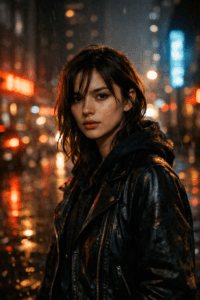
Cinematic urban portrait of a person standing in a city street at night, moody lighting, soft neon reflections, shallow depth of field, dramatic shadows, natural skin texture, emotional expression, film still look, realistic photography, 35mm lens, cinematic color grading, high detail
- Exemple 1
- Exemple 2
Gritty Street Portrait with Film Grain
Prompt:
Cinematic urban portrait with gritty city mood, strong contrast, visible film grain, moody lighting, realistic textures, shallow depth of field, cinematic realism
- Exemple 3
Minimalist Urban Night Portrait
Prompt:
Cinematic urban portrait at night, minimal city background, soft lighting, shallow depth of field, muted colors, natural skin texture, professional cinematic photography

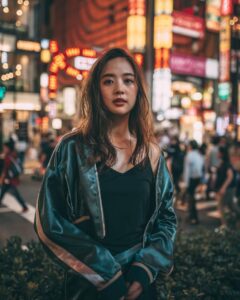

This single prompt already gives you a dark, atmospheric, movie-like portrait.
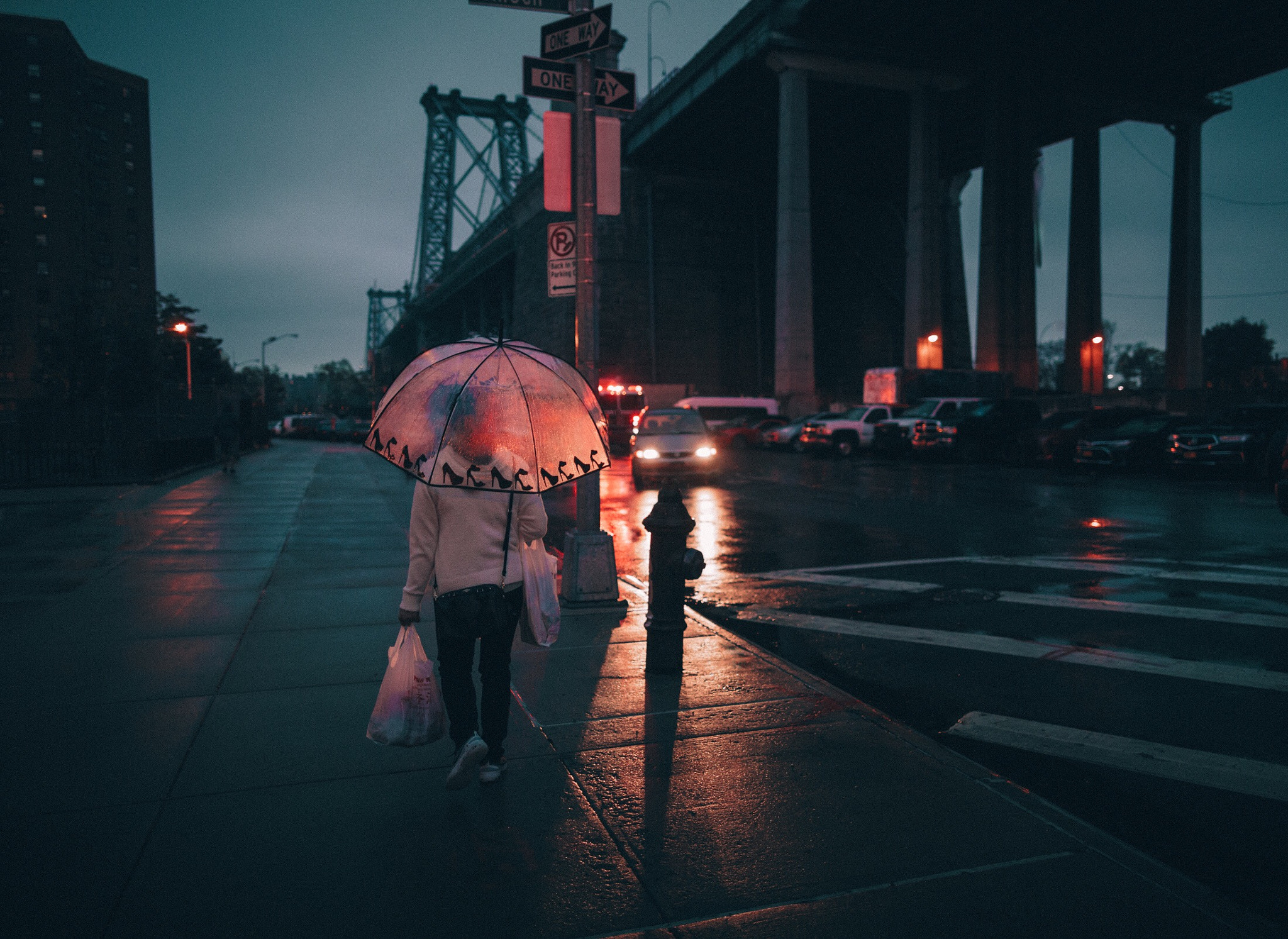
Dark & Gritty City Mood
Add words like rain, fog, and high contrast.
Prompt Variation:
Cinematic urban portrait in a rainy city street, heavy shadows, wet pavement reflections, gritty atmosphere, low-key lighting, realistic film grain
Cyberpunk-Inspired Urban Portrait
Prompt:
Cinematic cyberpunk urban portrait, neon city lights, rain and fog, futuristic street environment, dramatic lighting, film still look, high contrast, cinematic atmosphere

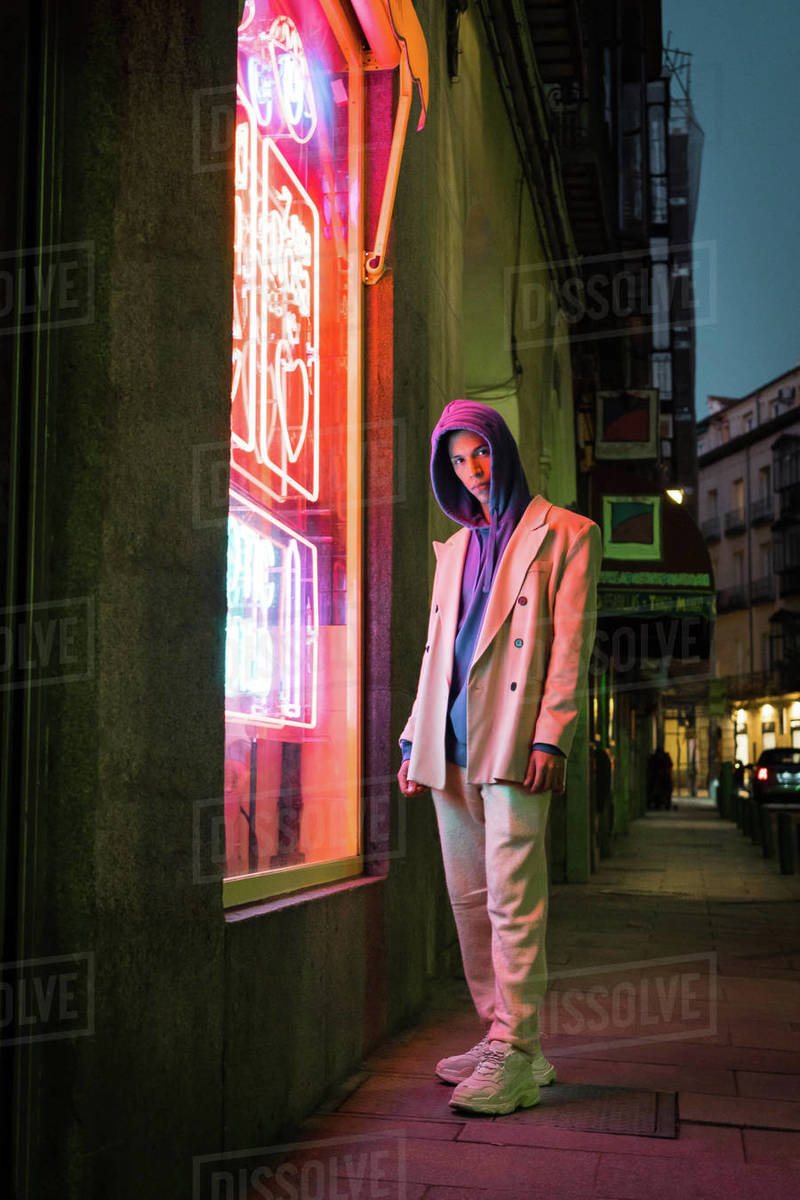
Neon Cyberpunk Vibe
Perfect for futuristic or edgy portraits.
Prompt Variation:
Cinematic urban portrait with neon signs, cyberpunk city atmosphere, purple and blue lighting, dramatic contrast, futuristic mood, film still aesthetic

Dark Alley Film-Style Portrait
Prompt:
Cinematic urban portrait in a dark city alley, low-key lighting, strong shadows, gritty atmosphere, natural skin texture, realistic film still, moody cinematic tones
Emotional Street Portrait (Storytelling Focus)
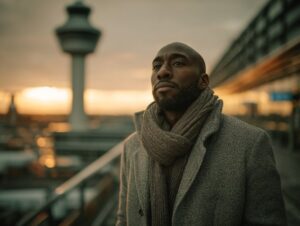
Prompt:
Cinematic urban portrait of a thoughtful person, quiet city street, soft street light, shallow depth of field, emotional expression, cinematic color grading, realistic photography

3. Emotional Street Portrait
Focus on storytelling and expression.
Prompt Variation:
Cinematic urban portrait of a thoughtful person, soft street light, emotional expression, quiet city background, shallow depth of field, realistic cinematic photography

Rainy Night Street Portrait
Prompt:
Cinematic urban portrait in a rainy city street at night, wet pavement reflections, dramatic shadows, soft street lights, realistic film grain, shallow depth of field, emotional cinematic mood
Classic Cinematic Urban Portrait (Moody & Realistic)
Prompt:
Cinematic urban portrait of a person standing on a city street at night, moody lighting, soft neon reflections, shallow depth of field, natural skin texture, emotional expression, film still look, realistic photography, 35mm lens, cinematic color grading
Key Elements That Make the Portrait Cinematic
To get consistent, professional results, your prompt should always include at least three of these elements:
Lighting: moody, low-key, neon, soft street light
Camera feel: 35mm, shallow depth of field, film grain
Color grading: cinematic tones, muted colors, contrast
Environment: city street, alley, urban night
Emotion: thoughtful, intense, calm, mysterious
AI responds strongly to visual language, not technical overload.
🔓 Want the full Pro prompt pack?
Get access to all premium AI prompts and tools here:
👉 Unlock Premium
Tips for Using This Prompt on Your Website:
Highlight the “Why”: After presenting the prompt, use bullet points or bold text to explain why certain details (like “diffused lighting” or “low angle”) are included. This educates your users.
Experimentation Encouraged: Suggest users try altering small details, such as changing the coat’s texture (e.g., “velvet coat”), the building’s style (e.g., “brutalist concrete building”), or the time of day (e.g., “dusk lighting”).
Call to Action: Encourage visitors to share their generated images in your comments section or on social media using a specific hashtag.
Frequently Asked Questions (FAQ)
What is a cinematic urban portrait?
A cinematic urban portrait is a style of photography or AI image generation that captures a subject in a city environment with dramatic lighting, emotional depth, and a movie-like atmosphere. It often looks like a still frame taken from a film rather than a traditional photo.
Can one prompt really create a cinematic urban portrait?
Yes. A well-structured prompt that clearly defines mood, lighting, environment, and camera style is enough to generate a cinematic urban portrait. The key is using descriptive visual language instead of long technical instructions.
Which AI tools work best for cinematic urban portraits?
This prompt style works well with popular AI image generators such as Midjourney, Stable Diffusion, Leonardo AI, and similar platforms. The results may vary slightly depending on the model, but the cinematic effect remains consistent.
How do I make the portrait look more realistic?
To increase realism, include phrases like natural skin texture, film grain, shallow depth of field, and cinematic color grading. These details help the AI produce images that feel professionally photographed.
What lighting works best for cinematic urban portraits?
Low-key lighting, neon reflections, street lights, and soft shadows work best. Night scenes often produce stronger cinematic results because of contrast and atmosphere.
Can I use these AI portraits for commercial projects?
That depends on the AI platform’s license and usage terms. Always check the tool’s commercial use policy before using generated images for branding, ads, or client work.
How can I change the mood without rewriting the whole prompt?
You can adjust the mood by changing a few keywords. For example:
Add rain or fog for drama
Add neon lights for a cyberpunk vibe
Add soft street light for emotional storytelling
Small changes can completely transform the final image.