
25 ChatGPT YouTube Thumbnail Prompts You Can Copy and Use
25 ChatGPT YouTube Thumbnail Prompts You Can Copy and Use
You can have a great video, a strong script, and valuable information, but none of that matters much if your thumbnail fails to make people stop scrolling. Your YouTube thumbnail is often one of the first things viewers notice when they discover your video, so the visual idea behind it deserves serious attention.
The good news is that you don’t need to spend hours staring at a blank design screen. With the right ChatGPT YouTube thumbnail prompts, you can quickly develop creative concepts, choose stronger compositions, generate visual directions, and experiment with different styles before creating your final thumbnail.
Below, you’ll find 25 ready-to-copy prompts you can adapt to almost any YouTube niche.
What Are ChatGPT YouTube Thumbnail Prompts?
ChatGPT YouTube thumbnail prompts are instructions you give ChatGPT to help you develop a thumbnail concept for your video. Instead of simply asking, “Give me a thumbnail idea,” you can describe the subject, emotion, composition, lighting, colors, audience, and visual style you want.
A good prompt can help you create ideas for:
- Facial expressions and emotions
- Backgrounds and environments
- Thumbnail composition
- Color combinations
- Visual storytelling
- Short thumbnail text
- AI image-generation instructions
- Different versions for testing
YouTube itself emphasizes the importance of thumbnails and titles because viewers commonly use them to understand what a video is about and decide whether to watch it. YouTube also recommends keeping thumbnail designs clear rather than overly complicated.
How to Write Better ChatGPT YouTube Thumbnail Prompts
Before jumping into the 25 prompts, understand what makes a useful prompt.
1. Tell ChatGPT What the Video Is About
Don’t leave your subject vague. Replace placeholders with your actual topic.
For example:
Create a YouTube thumbnail about “How to Make Money With AI.”
2. Describe the Emotion
Emotion can make a thumbnail much more noticeable. Depending on your content, you can request:
- Surprise
- Excitement
- Curiosity
- Fear
- Confidence
- Shock
- Happiness
3. Describe the Composition
Tell ChatGPT where you want the main elements positioned. You might ask for a close-up face, split-screen composition, large object in the foreground, or a person positioned on one side with text space on the other.
4. Keep the Visual Story Simple
Your thumbnail should communicate one main idea. If you place too many unrelated objects into the image, viewers may struggle to understand what they’re looking at.
25 ChatGPT YouTube Thumbnail Prompts
1. Viral YouTube Thumbnail Prompt
Create a high-impact YouTube thumbnail about [VIDEO TOPIC]. Use one dominant subject, an exaggerated but believable emotional expression, dramatic cinematic lighting, strong contrast, vibrant colors, a clean background, and a clear visual story. Leave enough negative space for 3–5 words of bold thumbnail text. Make the concept instantly understandable at a small size.
2. High-Energy Challenge Thumbnail Prompt
Create an exciting YouTube thumbnail for a challenge video about [CHALLENGE]. Show the main participants with strong emotional reactions, one obvious challenge object, dynamic movement, vibrant colors, dramatic lighting, and a simple composition. Make the viewer immediately understand what the challenge is.

3. AI Tools Thumbnail Prompt
Create a futuristic YouTube thumbnail about [AI TOOL OR TOPIC]. Show a creator reacting with surprise while interacting with futuristic AI interfaces, glowing technology elements, dramatic lighting, depth, and strong contrast. Keep the composition clean and leave space for bold text.

4. Make Money Online Thumbnail Prompt
Create a professional YouTube thumbnail about [MONEY TOPIC]. Show a confident entrepreneur, a laptop, rising financial charts, and visual elements representing online income. Use dramatic lighting, strong contrast, premium visuals, and a clear focal point.

5. Fitness YouTube Thumbnail Prompt
Create an energetic fitness YouTube thumbnail about [FITNESS TOPIC]. Show an athletic person during an intense workout with a powerful facial expression. Use dramatic gym lighting, strong contrast, visible effort, and a dynamic composition with space for short text.
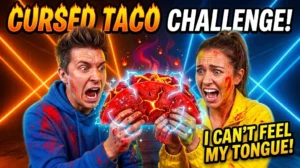
6. Before-and-After Thumbnail Prompt
Create a dramatic split-screen YouTube thumbnail showing the transformation from [BEFORE] to [AFTER]. Make both sides visually distinct and immediately understandable. Use strong lighting, clear contrast, expressive reactions, and a professional transformation aesthetic.
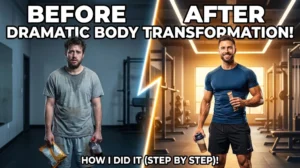
7. Gaming YouTube Thumbnail Prompt
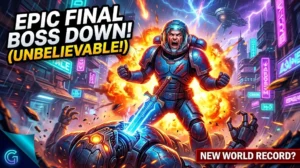
Create an exciting gaming YouTube thumbnail for [GAME OR VIDEO TOPIC]. Show the most important character or gaming moment prominently, with dramatic lighting, vibrant colors, motion effects, intense emotion, and a visually powerful background. Make it recognizable even when displayed as a small thumbnail.

8. Mystery Thumbnail Prompt
Create a mysterious YouTube thumbnail about [TOPIC]. Show one unexplained object or event, dramatic shadows, a surprised person, cinematic lighting, and an intriguing background. Make viewers immediately wonder what happened without revealing the entire story.
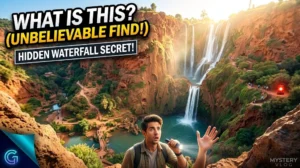
9. Travel Thumbnail Prompt
Create a cinematic YouTube travel thumbnail about [DESTINATION]. Show a breathtaking location with a person reacting with genuine amazement in the foreground. Use vibrant environmental colors, dramatic sunlight, depth, and a visually clean composition.
10. Food YouTube Thumbnail Prompt
Create an irresistible food YouTube thumbnail featuring [DISH]. Show an appetizing close-up with rich textures, dramatic food photography lighting, vibrant ingredients, and a creator reacting excitedly. Make the food the dominant visual element.

11. Tech Review Thumb
nail Prompt
Create a premium YouTube thumbnail for a review of [PRODUCT]. Place the product prominently in the foreground and show a creator reacting with surprise or excitement. Use sleek lighting, a clean background, strong contrast, and a modern technology aesthetic.
12. Educational Thumbnail Prompt
Create a clean and engaging educational YouTube thumbnail about [TOPIC]. Feature one powerful visual concept, a confident presenter, a simple background, strong contrast, and a clear visual hierarchy. Make the topic understandable within one second.
13. Business Thumbnail Prompt
Create a professional business YouTube thumbnail about [BUSINESS TOPIC]. Show a confident entrepreneur surrounded by relevant business elements, financial charts, and a modern environment. Use cinematic lighting, premium composition, and strong visual contrast.

14. Personal Development Thumbnail Prompt
Create an inspirational YouTube thumbnail about [SELF-IMPROVEMENT TOPIC]. Visually represent transformation from uncertainty to confidence. Use contrasting lighting, an emotional facial expression, powerful symbolism, and a clean cinematic composition.
15. Storytelling Thumbnail Prompt
Create a cinematic storytelling YouTube thumbnail about [STORY]. Show the most emotionally powerful moment without revealing the entire story. Use dramatic facial expressions, atmospheric lighting, depth, and one mysterious visual detail that creates curiosity.
16. Documentary Thumbnail Prompt
Create a realistic documentary-style YouTube thumbnail about [DOCUMENTARY TOPIC]. Use cinematic photography, atmospheric lighting, a powerful central subject, realistic details, and a serious editorial appearance. Avoid unnecessary visual clutter.
17. News Thumbnail Prompt
Create a professional YouTube news thumbnail about [NEWS TOPIC]. Feature the primary subject prominently, use an appropriate background connected to the story, strong contrast, and a clean area for a short headline. Keep the visual accurate and avoid misleading imagery.
18. Faceless YouTube Thumbnail Prompt
Create an attention-grabbing faceless YouTube thumbnail about [TOPIC]. Do not show a human face. Instead, use one powerful object, dramatic environmental lighting, strong contrast, depth, and visual storytelling that communicates the video’s subject immediately.
19. Luxury Thumbnail Prompt
Create a premium luxury YouTube thumbnail about [LUXURY TOPIC]. Show an elegant environment, sophisticated objects, cinematic lighting, reflections, depth, and a polished editorial aesthetic. Make the design look expensive without overcrowding the frame.
20. Car YouTube Thumbnail Prompt
Create a cinematic automotive YouTube thumbnail featuring [CAR MODEL]. Show the vehicle from a dramatic three-quarter angle with atmospheric surroundings, reflections, powerful lighting, and a creator reacting with excitement. Make the car the dominant subject.
21. Real Estate Thumbnail Prompt
Create a professional real estate YouTube thumbnail about [PROPERTY TOPIC]. Feature a stunning property prominently, use an impressive architectural perspective, inviting lighting, and a person reacting with amazement. Keep the design clean and premium.
22. Reaction Thumbnail Prompt
Create a high-energy reaction YouTube thumbnail about [VIDEO TOPIC]. Show a creator with an expressive close-up reaction next to the surprising subject or event. Use dramatic lighting, strong contrast, and a simple background so the emotion remains the main focus.
23. Minimalist Thumbnail Prompt
Create a minimalist YouTube thumbnail about [TOPIC]. Use one powerful central object, a clean background, limited visual elements, high contrast, and sophisticated composition. Make the concept immediately understandable without adding unnecessary details.
24. Comparison Thumbnail Prompt
Create a compelling YouTube comparison thumbnail comparing [OPTION A] versus [OPTION B]. Use a clear split-screen layout, visually distinct subjects, contrasting backgrounds, expressive reactions, dramatic lighting, and a central visual element that communicates the comparison instantly.
25. Ultimate YouTube Thumbnail Prompt
Create a highly clickable YouTube thumbnail for a video about [VIDEO TOPIC]. Combine one powerful emotional reaction, one dominant subject, one intriguing secondary element, cinematic lighting, vibrant colors, strong contrast, and a simple composition. The image should communicate one clear story within one second while creating curiosity about the video’s outcome. Leave clean space for short, bold thumbnail text.
How to Customize These ChatGPT YouTube Thumbnail Prompts
The prompts become much more useful when you personalize them.
Start by replacing [VIDEO TOPIC] with your exact subject. Then add information about your audience, visual style, emotion, and desired composition.
For example, instead of:
Create a YouTube thumbnail about AI.
Try:
Create a YouTube thumbnail about 5 AI tools that can save freelancers 10 hours per week. Show a surprised freelancer using a laptop with futuristic AI interfaces in the background. Use dramatic lighting, strong contrast, and leave space on the left for short text.
That additional context gives ChatGPT much more to work with.
Best Practices for Better YouTube Thumbnails
Your prompt is only the beginning. You should also pay attention to the final design.
- Focus on one main idea.
- Use a recognizable subject.
- Keep the background relatively simple.
- Use strong contrast.
- Make important elements large enough to see on mobile.
- Keep thumbnail text short.
- Use emotion when it fits your content.
- Avoid misleading imagery.
- Create several variations instead of settling on the first concept.
- Compare your thumbnail with competing videos in the same niche.
YouTube specifically recommends designing thumbnails that stand out while avoiding overly complex compositions. It also recommends checking analytics to understand how your thumbnails and titles perform with different audiences.
What Size Should a YouTube Thumbnail Be?
For long-form YouTube videos, YouTube currently recommends custom thumbnails at 3840 × 2160 pixels, with a 16:9 aspect ratio. YouTube also states that thumbnails should have a minimum width of 640 pixels and can be uploaded as JPG or PNG files. File-size limits vary depending on the upload device.
If you’re creating a thumbnail for a vertical Short, YouTube recommends a 9:16 format.
Can You Test Different Thumbnails?
Yes. Testing different concepts can help you learn what resonates with your audience. YouTube provides an A/B testing feature for eligible content, and its experiments can evaluate thumbnail and title combinations based on watch-time share.
Instead of asking yourself which design looks best, let your audience data help answer which concept performs better.
FAQ About ChatGPT YouTube Thumbnail Prompts
What are ChatGPT YouTube thumbnail prompts?
They are detailed instructions you give ChatGPT to generate thumbnail concepts, visual directions, compositions, emotions, colors, and design ideas for your videos.
Can I use ChatGPT YouTube thumbnail prompts for any niche?
Yes. You can adapt them for gaming, finance, AI, technology, fitness, travel, food, education, business, entertainment, and almost any other YouTube category.
Can ChatGPT create the actual thumbnail?
ChatGPT can help you develop the concept and, where image-generation features are available, create visual assets. You can then refine the result in your preferred design software.
YouTube also has its own AI-powered Ask Studio feature that can suggest thumbnail ideas based on your video’s transcript and themes.
How can you make ChatGPT YouTube thumbnail prompts better?
Give ChatGPT specific information about your video topic, target audience, emotion, main subject, composition, lighting, colors, background, and text placement. The more useful visual context you provide, the more specific your resulting concept can become.
Should your thumbnail contain text?
It can, but text isn’t always necessary. If you use text, keep it short and easy to read. YouTube recommends using readable fonts and avoiding overly complicated thumbnail designs.
Conclusion
Creating a strong YouTube thumbnail doesn’t have to begin with a blank canvas. With the right ChatGPT YouTube thumbnail prompts, you can quickly generate multiple concepts and turn a simple video idea into a visually compelling package.
The key is to customize each prompt rather than using it word-for-word every time. Tell ChatGPT what your video is about, who you’re targeting, what emotion you want to create, and which visual elements should dominate the frame.
Start with one of the 25 prompts above, create several variations, and compare the results. Then use your YouTube Analytics data to learn which visual approach connects best with your viewers.
Ready to improve your next thumbnail? Copy one of the prompts above, replace the placeholder with your video topic, and start creating your first concept today.