How to Create a Hyper-Realistic Editorial Portrait Using a Single Advanced AI Prompt
Creating a Hyper-Realistic Editorial Portrait AI Prompt that looks like a luxury fashion magazine cover is no longer about trial and error. When you use a well-structured, professional prompt, you gain full control over lighting, color harmony, camera behavior, and visual storytelling.
In this guide, you’ll learn how to use one advanced prompt to generate a high-end, editorial-quality portrait that preserves your facial features while delivering a polished, cinematic fashion look.
Whether you’re a content creator, model, brand owner, or designer, this approach helps you achieve consistent, studio-level results without a physical photoshoot.
How to Use a Hyper-Realistic Editorial Portrait AI Prompt
Before writing the prompt, you need to understand what defines the style:
Professional lighting (soft shadows, controlled highlights)
Natural skin texture (pores, fine lines, realism — not plastic skin)
Intentional pose & framing
Fashion-oriented styling
Minimal but purposeful background
Cinematic or magazine-grade color grading
Your prompt must describe all of this clearly — otherwise the result looks generic.
The Core Structure of a Powerful Editorial AI Prompt
Every strong prompt follows this structure:
Subject description (gender, age range, expression)
Pose & composition (close-up, mid-shot, full body)
Clothing & styling
Lighting setup
Camera & lens details
Skin & texture realism
Mood & editorial vibe
Image quality keywords
When these elements work together, the AI behaves like a professional photographer.
Why Prompt Structure Matters More Than the AI Tool
Most people fail to get realistic results because their prompts are vague. A strong prompt works like a photography brief, not a description.
Your provided prompt succeeds because it defines:
- Identity preservation (your original facial traits)
- Exact pose and expression
- Professional studio lighting setup
- Camera and lens behavior
- Color grading style
- Editorial fashion standards
This is the difference between a generic AI portrait and an image that feels intentional, premium, and publishable.
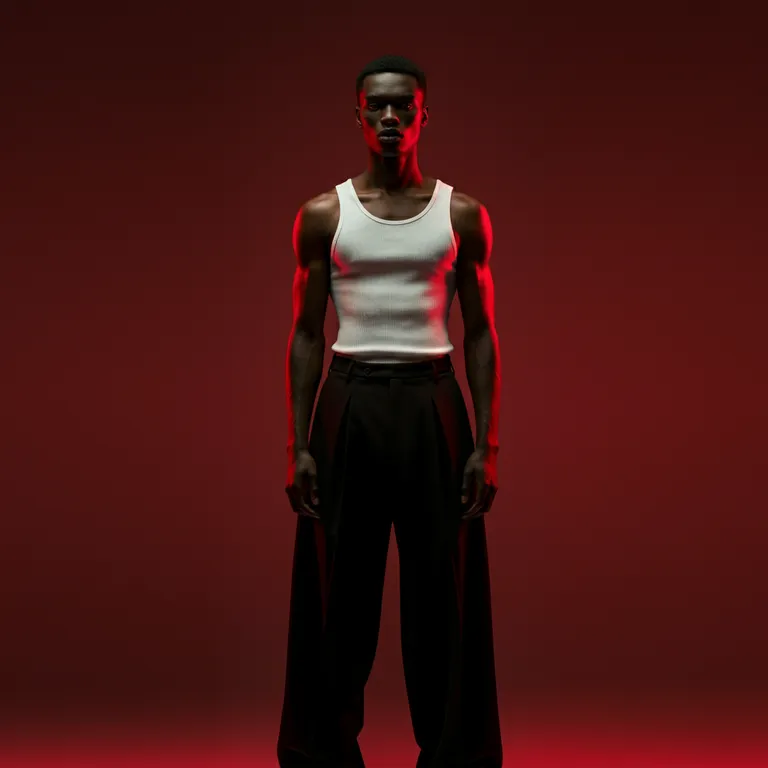
Example 1: Classic Fashion Editorial Portrait
Prompt

Prompt
Best for: cinematic branding, fashion campaigns, dramatic visuals

Prompt
You May Lik This :
AI & Image Generation
Photography & Editorial Inspiration
Learning & Visual References
How to Use This Prompt
Replace male with female if needed
Change clothing to fit your brand (luxury, streetwear, minimal)
Works perfectly for LinkedIn branding, portfolio covers, and fashion mockups
Example 2: Luxury Editorial Portrait with Dramatic Lighting

Prompt
Best for: personal branding, Instagram, modern fashion editorials

Prompt
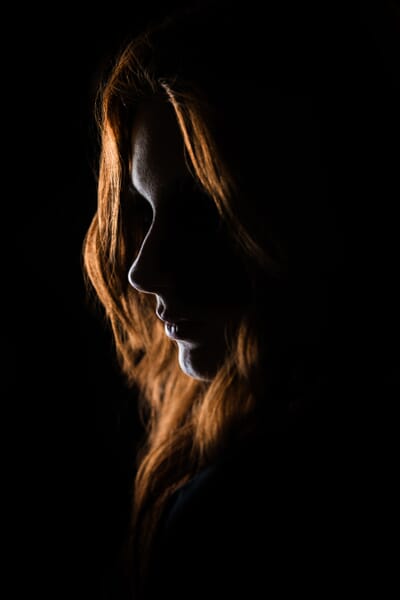
Best for: skincare, cosmetics, beauty brands
Prompt
How to Use This Prompt
Ideal for high-end brands, beauty products, editorial covers
Increase drama by adding “low-key lighting” or “moody shadows”
Keep background simple to maintain realism
Example 3: Modern Editorial Portrait for Social Media & Branding

Prompt
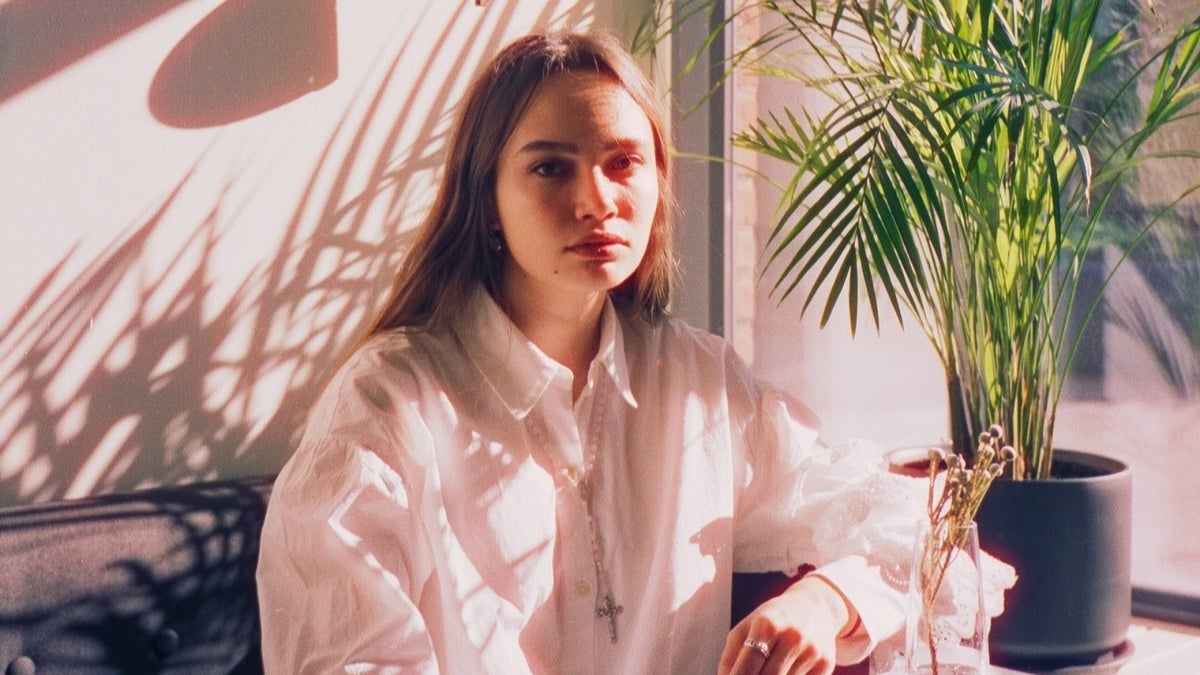
Best for: fashion catalogs, brand lookbooks
Prompt
Best for: men’s fashion, GQ-style visuals, branding

Prompt
How to Use This Prompt
Perfect for Instagram, personal branding, website hero images
Works best with “natural daylight” instead of studio lighting
Great balance between professional and approachable
Pro Tips to Instantly Improve Results
Always add camera & lens details (50mm, 85mm, shallow depth)
Use “natural skin texture” to avoid plastic faces
Avoid cluttered backgrounds — editorial portraits are clean
Don’t overload the prompt; clarity > length
If your tool allows it, use high resolution / quality mode
One Universal Prompt You Can Reuse
Step 1: Preserve Your Identity Without Losing Style
The foundation of realism is identity continuity.
Your prompt clearly states that the image must be:
- Based on your reference image
- Faithful to your facial structure
- True to your natural appearance
This prevents the AI from “re-inventing” your face, which is a common issue in AI portraits.
Why this works
By separating who you are from how you are styled, you allow the AI to enhance presentation without altering identity.
Result: You still look like you—just photographed by a top-tier fashion studio.
Step 2: Control Pose, Expression, and Presence
Editorial portraits rely on subtle body language. Your prompt specifies:
- Medium shot framing
- Slight turn to the right
- Head gently tilted
- Direct, confident eye contact
This combination communicates:
- Confidence without aggression
- Style without exaggeration
- Presence without stiffness
These details guide the AI toward a fashion-editorial posture, not a casual selfie look.
Step 3: Styling That Signals High-End Fashion
Wardrobe is not decoration—it’s messaging.
The turquoise leather jacket in your prompt does three things:
- Adds texture and realism
- Creates contrast with skin tones
- Anchors the color palette
By mentioning treated leather, subtle shine, and metal reflections, you instruct the AI to simulate luxury materials, not flat digital surfaces.
This is a key reason the result feels photographic instead of synthetic.
Step 4: Use Color Harmony to Elevate the Image
Matching the background color to the jacket is a professional fashion technique.
Your monochromatic turquoise background:
- Creates visual cohesion
- Enhances subject separation
- Draws attention to facial features
This approach is commonly used in luxury branding and editorial campaigns because it feels intentional and modern.
Pro tip
When colors are controlled, realism increases—even before lighting is applied.
Step 5: Studio Lighting That Mimics Real Photography
Lighting is where most AI portraits fail. Your prompt avoids that by defining a three-point lighting setup:
- Key light: Soft, frontal, slightly left
- Fill light: Neutral, shadow control
- Rim light: Subtle edge separation
You also specify:
- Softbox size
- Balanced color temperature (5500K)
- Clean, controlled shadows
This tells the AI to behave like a professional studio, not a random light source.
Outcome: Natural skin texture, controlled highlights, and realistic depth.
Step 6: Camera and Lens Settings That Add Credibility
Mentioning a specific camera and lens transforms the output.
Your choice of:
- 85mm focal length
- Wide aperture (f/2)
- Low ISO
creates:
- Natural facial proportions
- Gentle background blur
- Sharp focus on the face
These technical cues guide the AI toward true portrait photography aesthetics instead of flat renders.
Step 7: Editorial Color Grading for a Magazine Look
Color grading defines mood.
Your prompt uses a Modern Editorial Cool Tone style with:
- Turquoise and blue dominance
- Warm, neutral skin tones
- High contrast without harshness
By avoiding grain and excessive effects, the image remains clean, sharp, and publishable.
This grading style is commonly seen in:
- Fashion campaigns
- Magazine covers
- Premium brand visuals
Step 8: Why Visual Keywords Matter
The visual keywords at the end of your prompt are not decoration—they are reinforcement signals.
They help the AI prioritize:
- Realism
- Texture
- Studio quality
- Editorial framing
Keywords like ultra realistic, fashion editorial, and studio lighting anchor the output in a professional context.
Who Should Use This Type of Prompt?
This prompt structure is ideal if you want to:
- Build a personal brand
- Create fashion or lifestyle content
- Replace expensive photoshoots
- Produce consistent, high-end visuals
- Stand out on social media or websites
It’s especially powerful for creators who value identity accuracy and visual credibility.
Common Mistakes to Avoid
To get the best result, avoid:
- Removing lighting details
- Overloading with unnecessary styles
- Mixing conflicting color palettes
- Using vague camera descriptions
Precision is what gives this prompt its strength.
Final Thoughts: One Prompt, Professional Results
When you treat AI image generation like a fashion production brief, the results change completely.
This single, detailed prompt allows you to:
- Preserve your identity
- Control the environment
- Achieve magazine-level realism
- Create visuals that feel intentional and premium
You’re no longer “generating images.”
You’re directing a photoshoot—digitally.
Call to Action
Now it’s your turn.
Use this prompt as a base, test small variations, and refine it to match your personal style or brand identity. If you found this guide useful, save it, share it, and experiment—because mastering prompts is no longer optional if you want professional-level AI visuals.
Want more advanced prompt breakdowns like this?
Stay connected and keep pushing your creative edge.