How to Create a Warm AI Couple Portrait Using a Heart Hands Prompt
How to Create an AI Couple Portrait with Heart Hands
Creating an emotional, realistic AI Couple Portrait of a couple is no longer about luck or endless retries. With the right prompt structure, you can guide AI image models to produce a warm, joyful, and deeply personal result that looks like a professional lifestyle photograph.
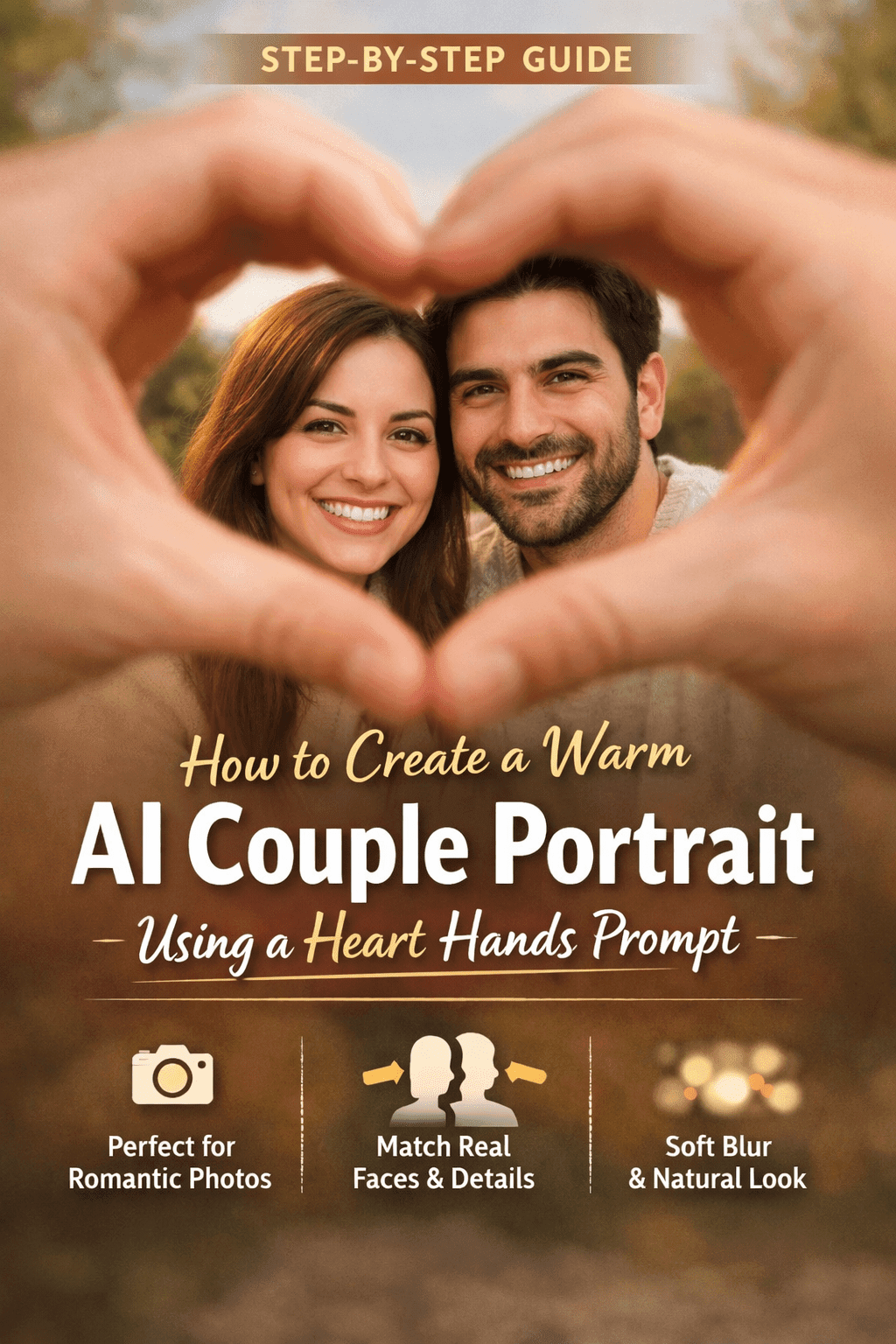
In this guide, you’ll learn how to use a carefully crafted couple portrait prompt to generate stunning AI images where two people are framed inside a heart shape made with hands. This approach is ideal for romantic portraits, anniversary images, profile visuals, or personalized digital art.
If you want results that feel authentic—not artificial—this article walks you through why the prompt works, how to adapt it, and how to get consistent, high-quality output.
AI Couple Portrait Prompt: Step-by-Step
Most AI portraits fail because they lack emotional clarity and visual hierarchy. The prompt you’re using solves that problem by controlling focus, emotion, depth, and identity all at once.
Here’s what makes it effective:
- A clear emotional goal (joy, affection, connection)
- A strong framing concept (faces inside a heart formed by hands)
- Precise lighting and camera instructions
- Explicit identity transfer using reference photos
- A natural environment that avoids visual clutter
Instead of telling the AI to “make a couple,” you are directing it like a professional photographer would.
Tips for a Warm and Realistic AI Couple Portrait
At the heart of this prompt is a simple but powerful idea:
the couple is seen through a heart made with hands, placing emotional symbolism directly into the composition.
This technique does three important things:
- Guides focus – faces stay sharp, hands blur naturally
- Adds storytelling – love is implied visually, not explained
- Creates depth – foreground, subject, and background are clearly separated
This is exactly how real portrait photographers create emotional images.
Facial Accuracy: Why Reference Photos Matter
One of the most critical sections of the prompt is the instruction to use both users’ reference photos.
You’re telling the model to:
- Apply facial structure
- Match skin tone and eye color
- Respect hair length, texture, and beard style
- Preserve identity consistency
This avoids the common AI issue where faces look “generic” or change across generations.
Pro Tip
Always upload high-quality, front-facing reference photos with neutral lighting. The cleaner the input, the more accurate the output.
Clothing and Styling: Why Neutral Tones Are Essential
The prompt intentionally avoids bold colors or patterns. This is a smart choice.
Neutral clothing:
- Keeps attention on facial expressions
- Avoids color clashes
- Feels timeless and realistic
- Reduces visual noise
When you let AI choose loud outfits, it often distracts from emotion. By specifying light, neutral tops, you maintain a clean and elegant aesthetic.
Background Control: Soft Blur for Realism
The softly blurred outdoor background plays a huge role in realism.
Why this matters:
- It mimics real shallow-depth photography
- It separates subjects from surroundings
- It prevents strange background artifacts
- It reinforces a natural, candid feel
By describing a park or natural setting without naming specific landmarks, you give the AI freedom while keeping results believable.
Camera Settings: Speaking the AI’s Language
One of the strongest aspects of this prompt is the inclusion of camera-style technical details.
Even though the image isn’t taken with a real camera, these instructions help the AI simulate professional photography.
Key benefits:
- Shallow depth of field creates emotional intimacy
- Fast shutter speed ensures sharp smiles
- Low ISO keeps skin texture clean
- Daylight white balance prevents unnatural tones
This is how you move from “AI image” to “photograph-like result.”
How to Use This Prompt in Nano Banana (Best Practices)
To get consistent results, follow this workflow:
Step 1: Upload Both Reference Photos
Make sure each photo is:
- Well-lit
- Front-facing
- Not heavily filtered
Step 2: Paste the Full Prompt (Do Not Shorten It)
Avoid trimming descriptive sections. Each part controls a different visual element.
Step 3: Generate Multiple Variations
Even with a perfect prompt, AI results vary. Generate at least 3–5 versions.
Step 4: Select the Best Emotional Match
Don’t focus only on realism. Choose the image that feels most natural and expressive.
Common Mistakes to Avoid
Many users reduce image quality by making small but critical errors:
- Removing camera details
- Using vague emotion words like “nice” or “cute”
- Uploading low-quality reference photos
- Overloading the prompt with extra styles
- Forcing exact poses without flexibility
Your prompt already balances control and freedom. Keep it that way.
Who This Prompt Is Perfect For
This couple portrait prompt works especially well if you are:
- Creating romantic AI portraits
- Designing personalized gifts
- Building content for social media
- Generating couple profile images
- Experimenting with identity-based AI art
It’s also ideal if you want emotionally convincing results, not stylized fantasy outputs.
How to Customize the Prompt Without Breaking It
You can safely adapt the prompt by changing:
- Environment (beach, city park, garden)
- Time of day (golden hour, soft sunset)
- Clothing texture (knit sweater, cotton top)
- Expression intensity (soft smile vs wide grin)
Avoid changing:
- The heart-hands framing
- The shallow depth of field
- The identity instructions
Those are the backbone of the result.
Why Emotion-Driven Prompts Perform Better
Search trends and user behavior show that emotional realism outperforms hyper-stylized visuals.
People engage more with images that feel:
- Relatable
- Warm
- Human
- Candid
This prompt aligns perfectly with that demand, which is why it’s ideal for long-term use and content creation.
Final Thoughts: Turn One Prompt Into Timeless Results
You don’t need dozens of prompts to get professional AI portraits. You need one well-structured prompt that understands composition, emotion, and identity.
This heart-hands couple portrait prompt gives you exactly that.
Use it consistently, refine your reference photos, and you’ll create images that feel less like AI—and more like real moments captured in time.
👉 Call to Action
If you found this guide helpful, save this prompt, test small variations, and start building your own library of emotionally rich AI portraits. The difference is not the tool—it’s how you guide it.
If you want, I can also provide:
- SEO meta description
- Focus keyword
- Image alt texts
- FAQ schema
- Featured image prompt
Just tell me what you want next.