How to Make Cinematic AI Images That Look Like Movie Scenes
How to Make Cinematic AI Images That Look Like Movie Scenes
You’ve probably generated AI images that look good—sharp, detailed, even impressive at first glance. But then you pause. Something feels off. The image doesn’t move you. It doesn’t tell a story. It doesn’t feel like a frame pulled straight from a film.
That’s the gap between normal AI images and cinematic AI images.
If your goal is to create visuals that feel emotional, dramatic, and immersive, this guide is for you. Below, you’ll learn how to make AI images look cinematic, using practical techniques that work across most AI image generators—without overcomplicating the process.
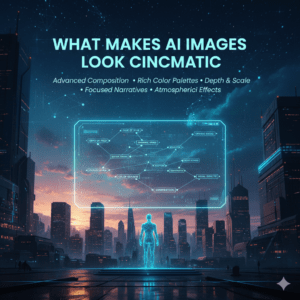
What Makes AI Images Look Cinematic?
Before touching prompts or settings, you need to understand what “cinematic” really means.
Cinematic AI images are not defined by realism alone. They are defined by intent.
A cinematic image usually includes:
- Purposeful lighting
- Controlled color tones
- Strong composition
- Emotional atmosphere
- A clear subject and story
When you combine these elements, your AI images stop looking like random generations and start looking like movie stills.
Choosing the Right Foundation for Cinematic AI Images
Not all AI images start equal. The base setup matters more than most people think.
Aspect Ratio Matters
Cinematic visuals almost never use square formats.
Best cinematic aspect ratios:
- 16:9 (classic film and video look)
- 21:9 (ultra-wide, epic scenes)
- 3:2 (cinematic photography style)
Using wide ratios instantly makes your AI images feel more like cinema and less like social media graphics.
Lighting: The Fastest Way to Make AI Images Cinematic
Lighting is the single most important factor in cinematic AI images.
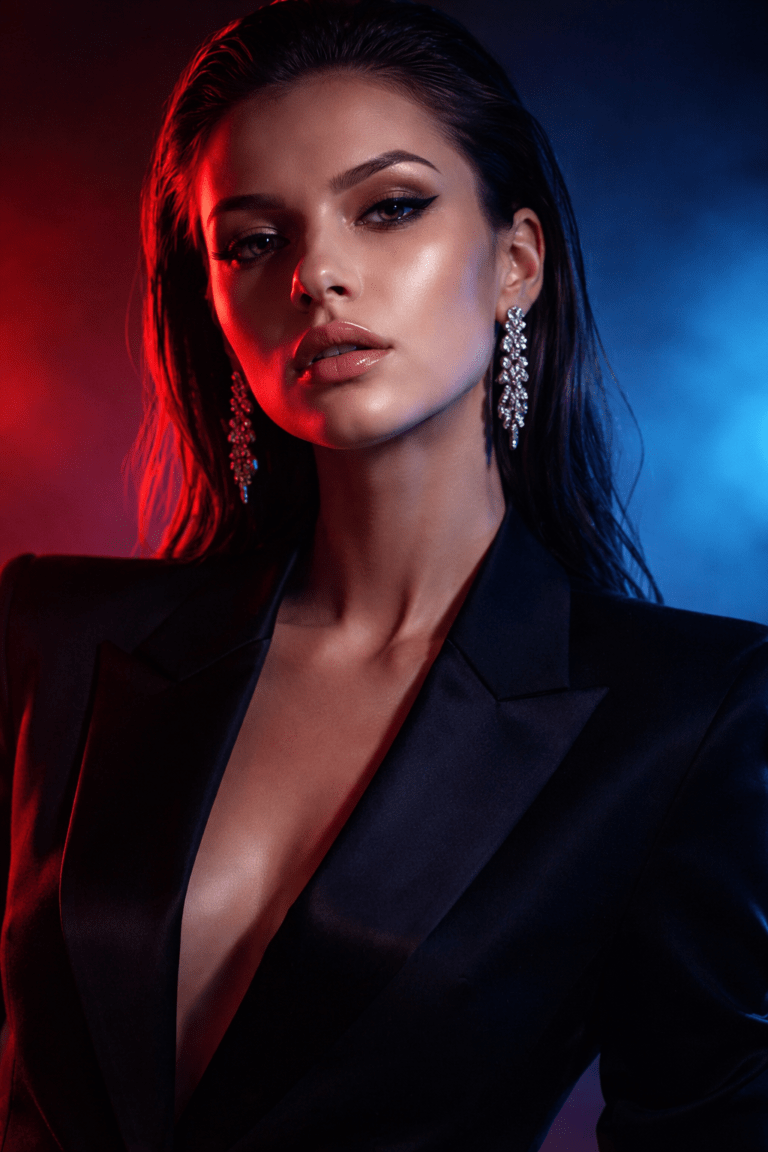
Cinematic Lighting Styles You Should Use
- Low-key lighting (dark scenes with controlled highlights)
- Backlighting or rim light (light behind the subject)
- Soft directional light (light from one side only)
- Practical lights (lamps, neon signs, street lights)
Prompt Keywords for Cinematic Lighting
Use phrases like:
- dramatic lighting
- moody shadows
- cinematic backlight
- soft volumetric light
- low-key lighting
These keywords guide the AI toward film-style lighting rather than flat illumination.
Color Grading Secrets for Cinematic AI Images
Color is emotional. Films use color to control how you feel, and your AI images should do the same.
Popular Cinematic Color Styles
- Teal and orange (blockbuster look)
- Muted or desaturated tones
- Warm highlights with cool shadows
- Monochromatic color moods
How to Describe Color Grading in Prompts
Instead of vague descriptions, be intentional:
- “cinematic color grading”
- “film color tones”
- “desaturated cinematic palette”
- “soft contrast, muted colors”
Avoid over-saturation. Cinematic images are usually controlled, not loud.
Composition Techniques Used in Cinematic AI Images
Cinematic composition tells your eye where to look.
Key Composition Rules
- Rule of thirds (place your subject off-center)
- Leading lines (roads, shadows, architecture)
- Negative space (empty areas that add mood)
Camera Angles That Add Drama
- Low-angle shots (make subjects powerful)
- Close-ups (emotional intensity)
- Wide establishing shots (story context)
When prompting, describe both what the subject is and how the camera sees it.
Camera and Lens Settings That Elevate AI Images
One of the biggest differences between basic and cinematic AI images is how the “camera” is described.
Cinematic Camera Keywords
- 35mm cinematic lens
- shallow depth of field
- film grain
- soft focus background
- professional cinema camera
These cues help the AI simulate real cinematography rather than digital art.
The Cinematic AI Prompt Formula (Step-by-Step)
Here’s a simple structure you can reuse every time.
Cinematic Prompt Formula
- Subject – Who or what is in the scene
- Emotion or Mood – What the scene feels like
- Lighting – How the scene is lit
- Camera & Lens – How it’s shot
- Color Grading – The overall tone
- Atmosphere – Fog, rain, smoke, dust
Example Cinematic AI Prompt
A lone man standing on a rainy street at night, emotional and reflective mood, cinematic lighting with soft backlight, shallow depth of field, 35mm lens, muted cinematic color grading, subtle film grain, foggy atmosphere
This structure keeps your prompts focused and repeatable.
Cinematic AI Image “Recipe” Table
Think of cinematic images like a visual recipe.
| Ingredient | Why It Matters | Example Keywords |
|---|---|---|
| Lighting | Sets mood | dramatic lighting, rim light |
| Color | Controls emotion | teal and orange, desaturated |
| Camera | Adds realism | 35mm lens, shallow depth |
| Composition | Guides the eye | rule of thirds, wide shot |
| Atmosphere | Adds depth | fog, smoke, rain |
Use at least three of these in every cinematic prompt.
Post-Processing Tips to Enhance Cinematic AI Images
Even great AI images can look better with light refinement.
Simple Enhancements
- Add subtle film grain
- Slightly reduce saturation
- Increase contrast carefully
- Add soft vignette
You don’t need heavy editing—just polish.
Common Mistakes That Ruin Cinematic AI Images
Avoid these if you want consistent results:
- Over-describing everything in one prompt
- Mixing too many art styles
- Using flat lighting
- Ignoring aspect ratio
- Over-saturated colors
Cinematic images are about control, not excess.
Frequently Asked Questions About Cinematic AI Images
What are cinematic AI images?
Cinematic AI images are visuals generated with film-style lighting, composition, and color grading to resemble movie scenes.
How do you make AI images look cinematic without editing?
By using strong prompts that include lighting, camera, color grading, and atmosphere, you can achieve cinematic results directly from generation.
Which AI tool is best for cinematic AI images?
Most modern AI image generators can create cinematic AI images if prompted correctly. Technique matters more than the tool itself.
Can cinematic AI images be used for commercial projects?
Yes, as long as you follow the licensing rules of the platform you’re using.
Conclusion: Turn AI Images Into Visual Stories
When you learn how to make AI images look cinematic, you stop generating random visuals and start directing scenes. You think like a filmmaker, not just a prompt writer.
Focus on lighting. Control your colors. Frame your subject with intention. And most importantly—create images that feel something.
If you found this guide useful, start experimenting with your next prompt using the cinematic formula above. Save your best results, refine them, and keep pushing your visual storytelling forward.
👉 Now it’s your turn: try one cinematic prompt today and see how different your AI images feel.