15 Best Prompts for Mobile App Development Tips
15 Best Prompts for Mobile App Development Tips
Mobile app development rarely fails because of a lack of tools. Most apps struggle because the right questions were never asked at the right time. You might have a solid idea, a clear goal, and even basic technical skills—yet progress feels slow, decisions feel heavy, and mistakes pile up.
This is where the 15 best prompts for mobile app development tips become powerful.
When you use well-crafted prompts, you don’t just ask an AI for answers—you sharpen your thinking. You gain clarity before writing code, direction before designing screens, and confidence before launching. This guide shows you how to use prompts strategically so you can build better apps without wasting time or energy.
Why Prompts Matter in Mobile App Development

Every successful app starts with clarity. Prompts help you reach that clarity faster.
Instead of jumping between tutorials or guessing solutions, prompts guide you to:
- Break complex problems into simple steps
- Make informed technical decisions
- Improve usability before users complain
- Reduce rework and debugging
The real value of prompts is not automation—it’s focus. They help you think like a product builder, not just a coder.
How to Use the 15 Best Prompts for Mobile App Development Tips
Before using any prompt, set the foundation.
Use Prompts the Right Way
- Be clear about your app’s purpose
- Mention your target audience
- Specify your platform (Android, iOS, or cross-platform)
- Ask for structured responses like checklists or comparisons


Avoid These Common Mistakes
- Writing vague prompts
- Blindly following answers without testing
- Ignoring performance and UX trade-offs
Once you approach prompts with intent, they become one of your strongest development tools.
15 Best Prompts for Mobile App Development Tips

Below are prompts you can use throughout the entire app lifecycle—from idea to scaling.
1. Validate Your App Idea

This prompt helps you confirm whether your idea solves a real problem.
- Identify target users
- Analyze existing competitors
- Highlight unique value
Why it matters: It prevents you from building features nobody wants.
2. Define the Core Features

Use this prompt to avoid feature overload.
- Separate must-have features from nice-to-haves
- Focus on MVP development
- Reduce development time
3. Choose the Right Tech Stack
This prompt clarifies your technical direction.
- Native vs cross-platform
- Performance vs cost
- Long-term maintainability
4. Improve UI and UX Design
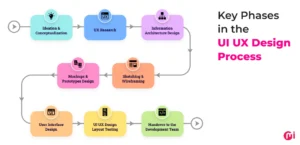
Helps you design with users in mind.
- Navigation flow
- Accessibility
- Simplicity over complexity
5. Plan Your Database Structure
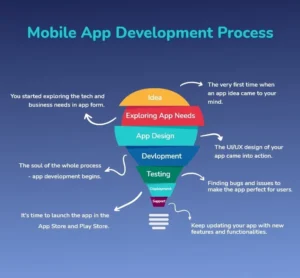
Use this prompt to organize app data efficiently.
- Data relationships
- Offline data handling
- Scalability considerations
6. Integrate APIs Safely
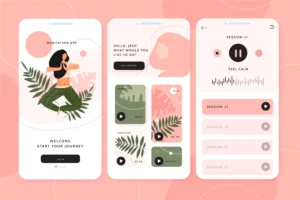
This prompt supports smoother third-party integrations.
- API selection
- Error handling
- Security checks
7. Build Secure Authentication
Helps you design user login systems.
- Authentication methods
- Data privacy
- User trust
8. Optimize App Performance

Use this prompt to make your app faster and smoother.
- Load time optimization
- Memory usage
- Battery efficiency
9. Handle Errors Gracefully
Improves app reliability.
- Clear error messages
- Crash logging
- User-friendly feedback
10. Strengthen App Security
Protects user data and app integrity.
- Encryption strategies
- Secure storage
- Common mobile threats
11. Test Your App Effectively
Ensures quality before launch.
- Unit testing ideas
- Beta testing workflow
- Real-device testing
12. Plan Monetization Early
Turns your app into a sustainable product.
- Ads vs subscriptions
- In-app purchases
- Ethical monetization
13. Optimize for App Stores
Improves visibility and downloads.
- Keyword usage
- App descriptions
- Visual assets
14. Analyze User Feedback
Helps you improve after launch.
- Review analysis
- Feature prioritization
- Retention strategies
15. Prepare for Scaling
Guides future growth.
- Backend optimization
- Handling more users
- Feature expansion
Prompt Framework Table (Practical Structure)
| Prompt Element | Purpose | Example |
|---|---|---|
| Goal | Define outcome | Improve app speed |
| Context | App details | Finance app for beginners |
| Constraints | Limits | Android only |
| Output Format | Response style | Step-by-step plan |
Using this structure makes every prompt more precise and actionable.
Who Should Use These Mobile App Development Prompts?
Beginners
- Learn faster without overwhelm
- Avoid common mistakes
- Build confidence early
Experienced Developers
- Improve productivity
- Reduce trial and error
- Refine architecture
Indie Developers and Startups
- Validate ideas quickly
- Build MVPs efficiently
- Save time and resources
Problems the 15 Best Prompts for Mobile App Development Tips Solve
- Feeling stuck during development
- Poor user retention
- Slow app performance
- Feature overload
- Unclear monetization strategy
Prompts don’t replace skill—they amplify it.
FAQs – 15 Best Prompts for Mobile App Development Tips
What are the 15 best prompts for mobile app development tips?
They are structured questions that guide planning, development, optimization, and growth of mobile apps.
Are these prompts suitable for beginners?
Yes. Prompts simplify complex decisions and help beginners progress faster.
Can these prompts be used for Android and iOS apps?
Absolutely. They work for native and cross-platform development.
Do AI prompts replace real development work?
No. They support decision-making, but testing and implementation remain essential.
How often should you refine your prompts?
Regularly. Better prompts lead to better outcomes.
Conclusion: Build with Clarity, Not Guesswork
Mobile app development doesn’t have to feel chaotic. When you apply the 15 best prompts for mobile app development tips, you gain structure, focus, and direction. You stop reacting to problems and start preventing them.
The best developers are not the ones who know everything—they are the ones who ask smarter questions.
👉 Your next move:
Pick one prompt from this list, apply it to your current app, and refine it based on real results. Progress starts with the right question.
If you want more practical guides like this, bookmark this article and share it with fellow developers who want to build smarter—not harder. 🚀