20 General AI Image Prompts for Stunning Visuals
Unlock Your Creative Vision: 20 General AI Image Prompts for Stunning Visuals
Have you ever stared at a blank chat box, your mind bursting with a vivid cinematic scene, only to realize you don’t have the words to describe it? We’ve all felt that specific sting of frustration. You know exactly how the light should hit the water and the specific “crunch” the textures should have, yet the AI keeps handing you something that looks like a generic screensaver.
It feels like there is a wall between your imagination and the screen. But here’s the truth: the “magic” isn’t in the tool; it’s in the bridge you build with your words. Mastering general AI image prompts is about more than just technical jargon—it’s about reclaiming your role as the director of your digital world. Let’s break down that wall together.
Why Your Current Prompts Might Be Failing You
If you’re typing things like “cool futuristic city” and getting lackluster results, you aren’t alone. Most users treat AI like a mind reader when they should be treating it like a highly skilled, literal-minded intern. To get world-class art, you need to provide a framework.
In 2026, search engines and AI models alike are looking for “Answer-First” content. This means your prompts—and the way you describe them—need to be direct, structured, and intentional.
How to Structure a High-Performing Prompt
Think of your prompt as a 4-part stack:
The Subject: The “Who” or “What.”
The Environment: The “Where.”
The Style & Medium: The “How” (is it a 35mm photo or an oil painting?).
The Lighting & Mood: The “Vibe.”
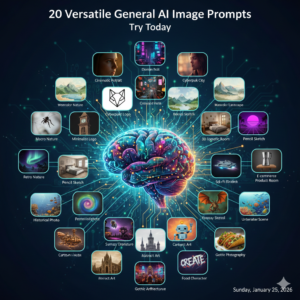
20 Versatile General AI Image Prompts to Try Today
Stop guessing and start creating. Use these general AI image prompts as your foundation. You can copy them exactly or swap out the bracketed words to fit your specific vision.
Professional & Business Visuals
The Modern Hero: “A wide-angle shot of a minimalist [industry] workspace, floor-to-ceiling windows, soft morning light, 8k resolution, professional architectural photography.”
Tech in Motion: “Close-up of a hand interacting with a holographic [concept] interface, vibrant blue and purple glow, bokeh office background.”
Product Spotlight: “A [product] placed on a matte black surface, dramatic rim lighting, moody atmosphere, sharp focus, high-end commercial style.”
Nature & Landscapes
The Golden Hour: “Lush [location] at sunset, god rays piercing through trees, hyper-realistic textures, cinematic wide shot, vivid colors.”
Atmospheric Mystery: “A lone [subject] standing in a foggy pine forest, cool blue tones, minimalist composition, ethereal mood.”
Macro Wonder: “Extreme close-up of a [flower/insect], dew drops reflecting sunlight, shallow depth of field, macro photography, 8k detail.”
Artistic & Surreal Concepts
Cyberpunk Reality: “A rain-slicked street in a futuristic [city], neon signs reflected in puddles, cinematic lighting, cyberpunk aesthetic.”
Whimsical Fantasy: “A floating island with a [structure], waterfalls falling into the clouds, Studio Ghibli art style, soft pastel colors.”
Classic Oil Painting: “A portrait of a [subject], thick impasto brushstrokes, dramatic chiaroscuro lighting, in the style of 17th-century Dutch masters.”
Interior Design & Architecture
Scandinavian Minimal: “Living room with light wood furniture, large indoor plants, soft natural light, cozy hygge vibe, high-resolution interior photography.”
Industrial Loft: “Converted warehouse apartment, exposed brick walls, large metal windows, sunset light, urban interior style.”
The Ultimate Prompt Ingredient Table
Use this table to mix and match your own general AI image prompts. Simply pick one from each column to build a unique instruction.
| Subject (The Core) | Style (The Medium) | Lighting (The Vibe) | Perspective (The Angle) |
| Cybernetic Knight | 35mm Film Photo | Golden Hour | Bird’s-Eye View |
| Desert Oasis | Watercolor Painting | Neon Rim Light | Close-Up Portrait |
| Ancient Library | 3D Unreal Engine 5 | Soft Diffused Light | Low-Angle Shot |
| Floating Jellyfish | Charcoal Sketch | Moody Shadows | Wide-Angle Panorama |
| Steampunk Clock | Isometric Digital Art | Volumetric God Rays | Macro Detail |
Pro-Tips for “Human-Grade” Results
To bypass the “AI-look” that everyone is tired of in 2026, you need to add human imperfections. AI tends to make things too symmetrical and too clean.
Add Grain and Flaws: Use keywords like “film grain,” “dust motes,” or “natural skin texture.”
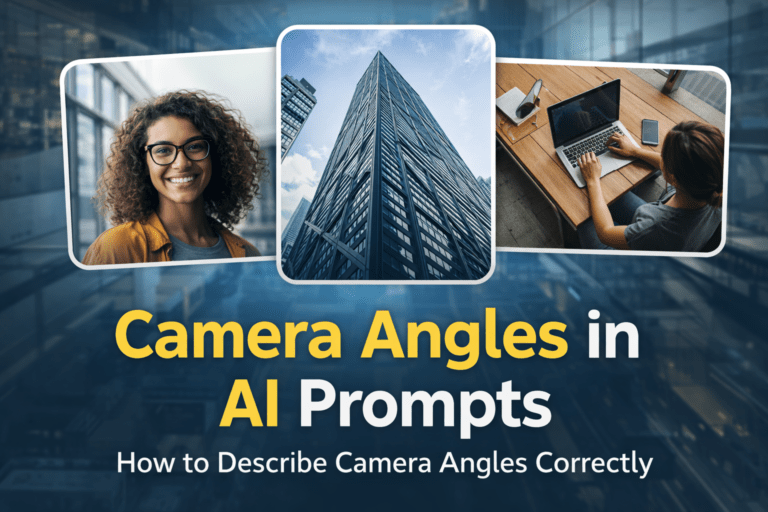
Specify the Lens: Instead of saying “clear,” say “shot on 85mm lens” for portraits or “shot on 14mm wide-angle” for landscapes.
The Power of Negative Prompts: If your tool supports it, always exclude “deformed, extra fingers, blurry, low resolution, watermark.”
FAQ: Mastering Your General AI Image Prompts
What are general AI image prompts exactly?
They are specific text instructions you give to an AI (like Midjourney or DALL-E) to generate a picture. A “general” prompt is a versatile template you can adapt for different subjects while keeping the high-quality style.
How do I make my images look less like “AI slop”?
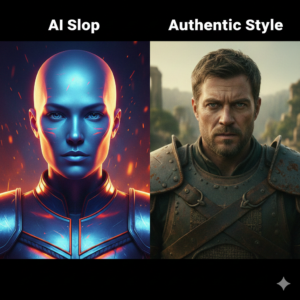
Focus on lighting and texture. Avoid generic words like “beautiful” or “amazing.” Instead, use technical terms like “subsurface scattering” for skin or “anamorphic lens flares” for cinematic shots.
Can I use these prompts for commercial work?
In most cases, yes, but it depends on your platform’s terms of service. Most “Pro” tiers for AI tools grant you full commercial rights. Always check the latest 2026 guidelines for the specific tool you use.
Why does my AI keep adding extra limbs?
This is a common “hallucination.” You can fix this by using a negative prompt or by being more specific about the pose. For example, instead of “a person,” try “a person with hands tucked into pockets.”
Conclusion: Your Journey to Visual Mastery
Visual storytelling has changed forever. You no longer need a thousand-dollar camera or a decade of painting experience to bring your ideas to life—you just need the right vocabulary. By using these general AI image prompts, you are moving from a passive observer to a creative powerhouse.
The world is waiting to see what is inside your head. Don’t let those ideas stay locked away just because you didn’t have the “right” words. Take one of the prompts from the list above, head over to your favorite generator, and see what happens.
Would you like me to help you refine a specific prompt for a project you’re working on right now?
Unlock Your Creative Vision: 20 General AI Image Prompts for Stunning Visuals
Have you ever stared at a blank chat box, your mind bursting with a vivid cinematic scene, only to realize you don’t have the words to describe it? We’ve all felt that specific sting of frustration. You know exactly how the light should hit the water and the specific “crunch” the textures should have, yet the AI keeps handing you something that looks like a generic screensaver.
It feels like there is a wall between your imagination and the screen. But here’s the truth: the “magic” isn’t in the tool; it’s in the bridge you build with your words. Mastering general AI image prompts is about more than just technical jargon—it’s about reclaiming your role as the director of your digital world. Let’s break down that wall together.
Why Your Current Prompts Might Be Failing You
If you’re typing things like “cool futuristic city” and getting lackluster results, you aren’t alone. Most users treat AI like a mind reader when they should be treating it like a highly skilled, literal-minded intern. To get world-class art, you need to provide a framework.
In 2026, search engines and AI models alike are looking for “Answer-First” content. This means your prompts—and the way you describe them—need to be direct, structured, and intentional.
How to Structure a High-Performing Prompt
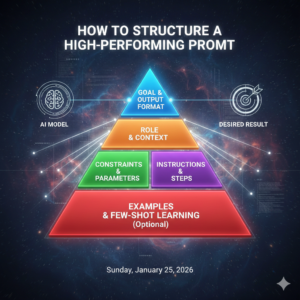
Think of your prompt as a 4-part stack:
The Subject: The “Who” or “What.”
The Environment: The “Where.”
The Style & Medium: The “How” (is it a 35mm photo or an oil painting?).
The Lighting & Mood: The “Vibe.”
20 Versatile General AI Image Prompts to Try Today
Stop guessing and start creating. Use these general AI image prompts as your foundation. You can copy them exactly or swap out the bracketed words to fit your specific vision.
Professional & Business Visuals
The Modern Hero: “A wide-angle shot of a minimalist [industry] workspace, floor-to-ceiling windows, soft morning light, 8k resolution, professional architectural photography.”
Tech in Motion: “Close-up of a hand interacting with a holographic [concept] interface, vibrant blue and purple glow, bokeh office background.”
Product Spotlight: “A [product] placed on a matte black surface, dramatic rim lighting, moody atmosphere, sharp focus, high-end commercial style.”
Nature & Landscapes
The Golden Hour: “Lush [location] at sunset, god rays piercing through trees, hyper-realistic textures, cinematic wide shot, vivid colors.”
Atmospheric Mystery: “A lone [subject] standing in a foggy pine forest, cool blue tones, minimalist composition, ethereal mood.”
Macro Wonder: “Extreme close-up of a [flower/insect], dew drops reflecting sunlight, shallow depth of field, macro photography, 8k detail.”
Artistic & Surreal Concepts
Cyberpunk Reality: “A rain-slicked street in a futuristic [city], neon signs reflected in puddles, cinematic lighting, cyberpunk aesthetic.”
Whimsical Fantasy: “A floating island with a [structure], waterfalls falling into the clouds, Studio Ghibli art style, soft pastel colors.”
Classic Oil Painting: “A portrait of a [subject], thick impasto brushstrokes, dramatic chiaroscuro lighting, in the style of 17th-century Dutch masters.”
Interior Design & Architecture
Scandinavian Minimal: “Living room with light wood furniture, large indoor plants, soft natural light, cozy hygge vibe, high-resolution interior photography.”
Industrial Loft: “Converted warehouse apartment, exposed brick walls, large metal windows, sunset light, urban interior style.”
The Ultimate Prompt Ingredient Table
Use this table to mix and match your own general AI image prompts. Simply pick one from each column to build a unique instruction.
| Subject (The Core) | Style (The Medium) | Lighting (The Vibe) | Perspective (The Angle) |
| Cybernetic Knight | 35mm Film Photo | Golden Hour | Bird’s-Eye View |
| Desert Oasis | Watercolor Painting | Neon Rim Light | Close-Up Portrait |
| Ancient Library | 3D Unreal Engine 5 | Soft Diffused Light | Low-Angle Shot |
| Floating Jellyfish | Charcoal Sketch | Moody Shadows | Wide-Angle Panorama |
| Steampunk Clock | Isometric Digital Art | Volumetric God Rays | Macro Detail |
Pro-Tips for “Human-Grade” Results
To bypass the “AI-look” that everyone is tired of in 2026, you need to add human imperfections. AI tends to make things too symmetrical and too clean.
Add Grain and Flaws: Use keywords like “film grain,” “dust motes,” or “natural skin texture.”
Specify the Lens: Instead of saying “clear,” say “shot on 85mm lens” for portraits or “shot on 14mm wide-angle” for landscapes.
The Power of Negative Prompts: If your tool supports it, always exclude “deformed, extra fingers, blurry, low resolution, watermark.”
FAQ: Mastering Your General AI Image Prompts
What are general AI image prompts exactly?
They are specific text instructions you give to an AI (like Midjourney or DALL-E) to generate a picture. A “general” prompt is a versatile template you can adapt for different subjects while keeping the high-quality style.
How do I make my images look less like “AI slop”?
Focus on lighting and texture. Avoid generic words like “beautiful” or “amazing.” Instead, use technical terms like “subsurface scattering” for skin or “anamorphic lens flares” for cinematic shots.
Can I use these prompts for commercial work?
In most cases, yes, but it depends on your platform’s terms of service. Most “Pro” tiers for AI tools grant you full commercial rights. Always check the latest 2026 guidelines for the specific tool you use.
Why does my AI keep adding extra limbs?
This is a common “hallucination.” You can fix this by using a negative prompt or by being more specific about the pose. For example, instead of “a person,” try “a person with hands tucked into pockets.”
Conclusion: Your Journey to Visual Mastery
Visual storytelling has changed forever. You no longer need a thousand-dollar camera or a decade of painting experience to bring your ideas to life—you just need the right vocabulary. By using these general AI image prompts, you are moving from a passive observer to a creative powerhouse.
The world is waiting to see what is inside your head. Don’t let those ideas stay locked away just because you didn’t have the “right” words. Take one of the prompts from the list above, head over to your favorite generator, and see what happens.
Would you like me to help you refine a specific prompt for a project you’re working on right now?